
ACME HTML Web Browser Client
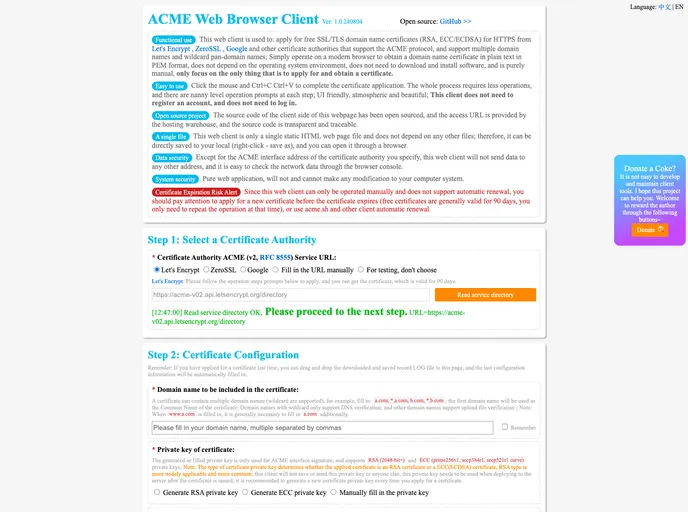
ACME Web Browser Client: HTML5网页版ACME客户端,免费申请获得用于 HTTPS 的 SSL/TLS 域名证书(RSA、ECC/ECDSA)Free Wildcard Certificates,支持多域名和通配符泛域名,Windows、macOS均可以向 Let's Encrypt,ZeroSSL,Google 等支持 ACME 协议的证书颁发机构申请pem格式证书
Overview:
The ACME Web Browser Client is a simple and easy-to-use web client designed to facilitate the application and acquisition of SSL/TLS domain name certificates for HTTPS from certificate authorities like Let's Encrypt, ZeroSSL, and Google. This client, which is a single static HTML web page file, eliminates the need for downloading software and allows users to apply for certificates directly from their modern browsers without registration or login requirements.
Features:
- Super Compatibility: Works on any operating system with any browser, making it easy to apply for certificates.
- Rich Functions: Supports RSA or ECC(ECDSA) certificates, multiple domain names, wildcard domains, and multiple certificate authorities.
- Easy to Use: Simple click-and-copy actions to complete the certificate application process with user-friendly UI and helpful tips at each step.
- Single File: Only requires a single static HTML file, can be saved locally and opened in a browser.
- Data Security: Client does not send data to any address other than the specified certificate authority's ACME interface, ensuring network data scrutiny through browser console.
- System Security: Being a web application, it cannot make any modifications to the user's computer system.
Summary:
The ACME Web Browser Client offers a convenient and secure method for obtaining SSL/TLS domain name certificates for HTTPS without the complexities of software installations and account registrations. Its user-friendly interface, rich functionality, and emphasis on data and system security make it an ideal choice for those seeking a straightforward and efficient certificate application process.