
Documentation Theme Jekyll
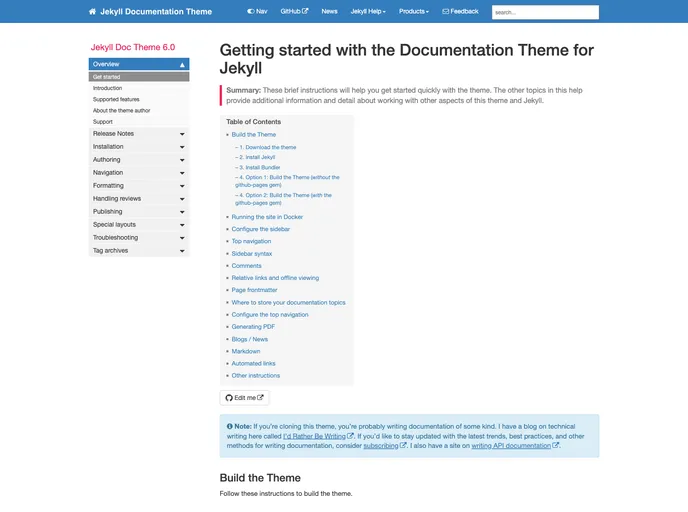
A Jekyll-based theme designed for documentation and help systems. See the link for detailed instructions on setting up and configuring everything.
Overview
The Documentation Theme Jekyll is a powerful and versatile theme specifically crafted for creating documentation and help systems using Jekyll, a popular static site generator. This theme offers an intuitive design that makes it easy for developers and technical writers to structure their content effectively. With a focus on usability and aesthetics, Documentation Theme Jekyll ensures that readers can navigate through complex information seamlessly.
This theme is perfect for anyone looking to create well-organized documentation, whether it’s for open-source projects, API documentation, or user manuals. Its extensive features and ease of customization make it an excellent choice for both beginners and seasoned developers alike.
Features
-
Responsive Design: The theme adjusts beautifully to different screen sizes, ensuring a great user experience on both desktop and mobile devices.
-
Easy Setup: With clear instructions provided, getting started with this theme is a straightforward process even for those new to Jekyll.
-
Customizable Layouts: Users can easily modify the look and feel of their documentation to match their brand’s identity, thanks to various customizable layouts.
-
Search Functionality: Built-in search capabilities allow users to locate information quickly, enhancing the overall accessibility of the documentation.
-
Version Control Support: The theme provides support for versioning, enabling developers to maintain and showcase different iterations of their documentation over time.
-
Multilingual Support: This theme allows for the creation of documentation in multiple languages, catering to a wider audience.
-
Code Highlighting: Syntax highlighting for code snippets makes it easier for readers to follow along and understand complex code examples.
-
Easy Navigation: A well-structured sidebar and breadcrumb links help users find their way around the documentation effortlessly.