
Laravel Wordpress Cms
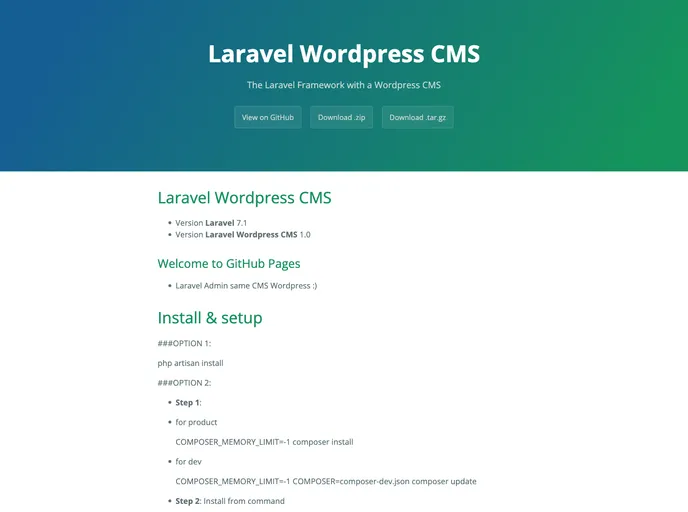

Document laravel wordpress cms
Overview
The Laravel Wordpress CMS is a Laravel package that allows users to build and manage content management systems similar to Wordpress. It provides a range of features and integrations to enhance the functionality and customization options for users.
Features
- Create new themes: Users can create new themes for their CMS by downloading and installing theme files.
- Remove themes: Users can also remove themes from their CMS if they no longer need them.
- Integration with third-party plugins: The Laravel Wordpress CMS can be easily integrated with third-party plugins for additional functionality.
- Clean code: The package is built with clean and organized code for easy customization and maintenance.
- Multi-language support: The CMS supports multiple languages, allowing users to create websites in different languages.
- Select2 integration: The package includes integration with Select2, a popular jQuery library for enhanced UI dropdown select boxes.
- Development package: The CMS provides a range of development tools and packages for creating a robust development environment.
- Excel integration: Users can integrate Excel functionality into their CMS, allowing for easy import and export of data.
Option 1:
- Set the COMPOSER_MEMORY_LIMIT to -1:
COMPOSER_MEMORY_LIMIT=-1 composer install - For development, set the COMPOSER_MEMORY_LIMIT and COMPOSER environment variables:
COMPOSER_MEMORY_LIMIT=-1 COMPOSER=composer-dev.json composer update - Install the package from the command line.
Option 2:
- Download the theme files from the provided link.
- Install the theme by following the provided instructions.
Step 3:
- Add the scheduling crontab to the project directory:
abcd /var/www/html && php artisan schedule:run >> /dev/null 2>&1 - Update the path to the project directory if necessary.
Login Admin
- Access the admin login page using the provided demo link.
- Use the following credentials to login:
- Username: admin@gmail.com
- Password: 123456789
Summary
The Laravel Wordpress CMS is a powerful package that allows users to create and manage content management systems with Laravel. It offers a range of features, including theme creation, integration with third-party plugins, multi-language support, and more. With easy installation and clean code, this package provides a robust solution for building custom CMS websites.
- Laravel
Laravel is a powerful and elegant PHP framework that provides developers with a comprehensive set of tools and features to build robust web applications. It follows the Model-View-Controller (MVC) architectural pattern, offering a clean and organized structure for writing efficient and maintainable code.
- Templates & Themes

A template or theme refers to a pre-designed layout or structure that provides a basic framework for building a specific type of application or website. It typically includes good design, placeholder content and functional features, allowing developers to customize and fill in the details according to their specific needs.