Blog
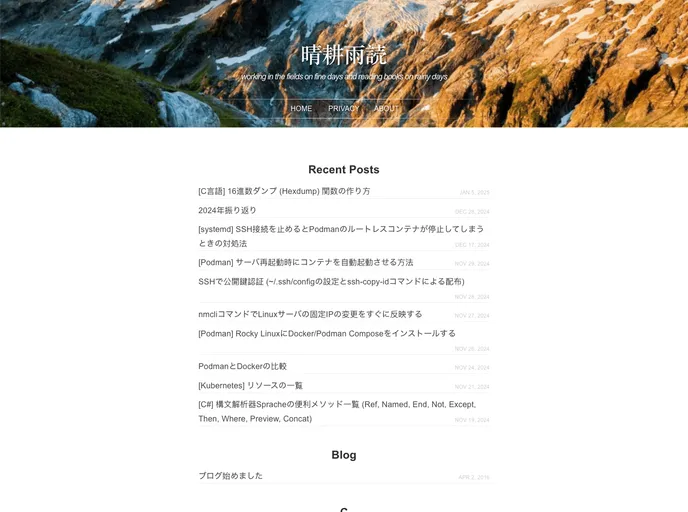

mako's blog
Overview:
Mako's Blog is a technical blog that uses Jekyll as its framework and showcases the JekyllDecent theme. It is built using various technologies such as kramdown for Markdown, Liquid for templates, Prism for syntax highlighting, and KaTeX for math rendering. The blog allows users to create new articles, manage categories, and customize the appearance of the site. The installation process involves setting up the necessary dependencies and running a server using Ruby.
Features:
- Framework: Built using Jekyll, a static site generator.
- Theme: Utilizes the JekyllDecent theme for a clean and modern design.
- Markdown: Written in Markdown using kramdown for easy content creation.
- Template Engine: Uses Liquid as the template engine for flexible content rendering.
- Syntax Highlighting: Highlights code snippets using the Prism syntax highlighter.
- Math Engine: Supports math rendering with the help of KaTeX.
- Article Creation: Allows users to create new articles using the "new.sh" script.
- Customization: Provides options to configure various settings like cover image, comments, and sitemap.
- Server Startup: Starts a local server using the "server.sh" script to preview the blog.
WSL (Ubuntu):
- Enable Windows Subsystem for Linux (WSL) and install Ubuntu.
- Execute the following commands in Ubuntu:
# Install dependencies
sudo apt-get update
sudo apt-get install ruby-dev build-essential zlib1g-dev

# Install Jekyll and Bundler
gem install jekyll bundler
Windows:
- Install Ruby using the RubyInstaller and restart your system.
- Add Ruby, Gem, and Bundle paths to your environment variable PATH.
- Open PowerShell and run the following commands:
# Install Jekyll and Bundler
gem install jekyll bundler
Alias Editor and Server Startup:
To make the blogging process more convenient, you can define a "blog" command that handles alias editing, opening the editor, starting the browser, and launching the web server.
LaTeX Image Creation:
To create images using LaTeX, set up a latex + standalone environment (refer to the installation guide for texlive2020 basics on WSL). Install ImageMagick and modify its policy to allow PDF to PNG conversion. Make sure to have platex, standalone, and ImageMagick installed for image generation from tex files.
Changing Cover Images by Category:
To change cover images based on categories, use grep and sed for bulk replacing.
GitHub Action - Link Check:
To check for broken links, utilize the tcort/markdown-link-check and gaurav-nelson/github-action-markdown-link-check tools. Exclude links from the check by enclosing them in HTML comments.
Summary:
Mako's Blog is a technical blog built using Jekyll and the JekyllDecent theme. It offers features like article creation, category management, and customization options. The installation process involves setting up dependencies and starting a local server. The blog also supports LaTeX image creation and includes a link check feature using GitHub Actions.
- Jekyll
Jekyll is a static site generator written in Ruby that allows you to create simple, fast, and secure websites without the need for a database.
- Blog

Blog websites feature posts written by one or more authors, organized by categories and tags, with a section for comments and archives sorted by date or topic. Additional features may include search bar, social media sharing, subscription or RSS feed, about and contact pages, and visual content.
- GitHub Pages

Gridsome is a Vue.js-based static site generator that makes it easy to build fast and flexible websites and applications by leveraging modern web technologies like GraphQL, Webpack, and hot reloading