Kita
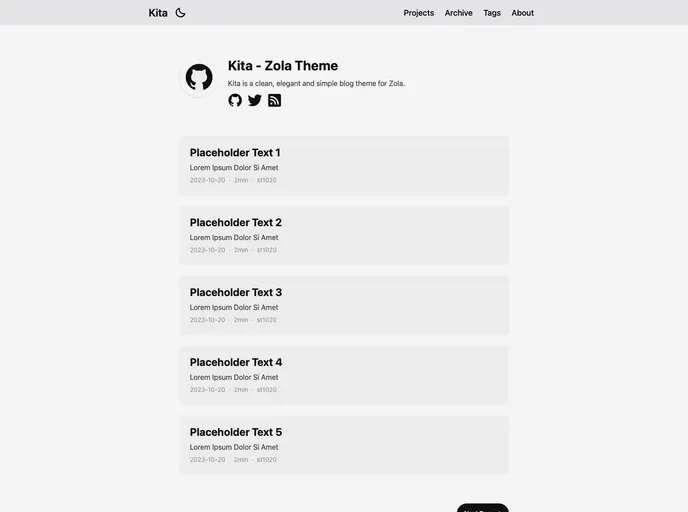


Kita is a clean, elegant and simple blog theme for Zola.
Overview
KitaKita is a clean, elegant, and simple blog theme for Zola. It is based on the Hugo theme, hugo-paper, with additional features added. This theme offers easy customization and modification, responsive design, support for dark mode, social icons, taxonomies, projects page, archive page, table of contents, admonition shortcode, SEO friendly features, comments using Giscus, mathematical notations using KaTeX, and diagrams and charts using Mermaid.
Features
- Easy to use and modify: KitaKita provides a user-friendly experience and allows easy customization to meet individual preferences.
- No preset limits: This theme does not impose restrictions on your content directory structure, taxonomy names, etc. It is applicable to all Zola sites, giving you the freedom to organize your content as you see fit.
- Dark mode: KitaKita supports dark mode, making it easier on the eyes for users who prefer a darker color scheme.
- Responsive design: The theme is designed to be responsive, ensuring optimal viewing experience on various devices and screen sizes.
- Social icons: KitaKita includes social icons, allowing you to easily display and link to your social media profiles.
- Taxonomies support: This theme provides support for taxonomies, enabling categorization and organization of your content.
- Projects page: KitaKita includes a dedicated page for showcasing your projects, making it easier for visitors to explore and discover your work.
- Archive page: The theme offers an archive page, allowing users to browse through your past content easily.
- Table of Contents: KitaKita automatically generates a table of contents for your blog posts, facilitating navigation and better user experience.
- Admonition shortcode: This theme supports the use of admonition shortcode, allowing you to display important notices or warnings within your content.
- SEO friendly: KitaKita is built with SEO in mind, ensuring that your blog content is easily discoverable by search engines.
- Comments using Giscus: The theme integrates with Giscus, a lightweight and customizable comments system, allowing readers to engage and leave comments on your blog posts.
- Mathematical notations using KaTeX: KitaKita supports mathematical notations using KaTeX, providing a seamless experience for authors who frequently include mathematical equations or symbols in their content.
- Diagrams and charts using Mermaid: With Mermaid integration, KitaKita enables you to easily create and embed diagrams and charts within your blog posts.
Summary
KitaKita is a versatile and feature-rich blog theme for Zola. With its clean and elegant design, easy customization options, and support for additional features like dark mode, taxonomies, and projects page, KitaKita offers a seamless and enjoyable experience for bloggers and readers. Its integration with Giscus, KaTeX, and Mermaid enhances the interactivity and visual appeal of your blog posts. Whether you are a beginner or an experienced blogger, KitaKita provides the tools and flexibility needed to create a visually appealing and engaging blog.
- Zola
Zola comes as a single executable with Sass compilation, syntax highlighting, table of contents and many other features that traditionally require setting up a dev environment or adding some JavaScript libraries to your site.
- Tailwind
Tailwind CSS is a utility-first CSS framework that provides pre-defined classes for building responsive and customizable user interfaces.
- Blog

Blog websites feature posts written by one or more authors, organized by categories and tags, with a section for comments and archives sorted by date or topic. Additional features may include search bar, social media sharing, subscription or RSS feed, about and contact pages, and visual content.