
Next Docs Template
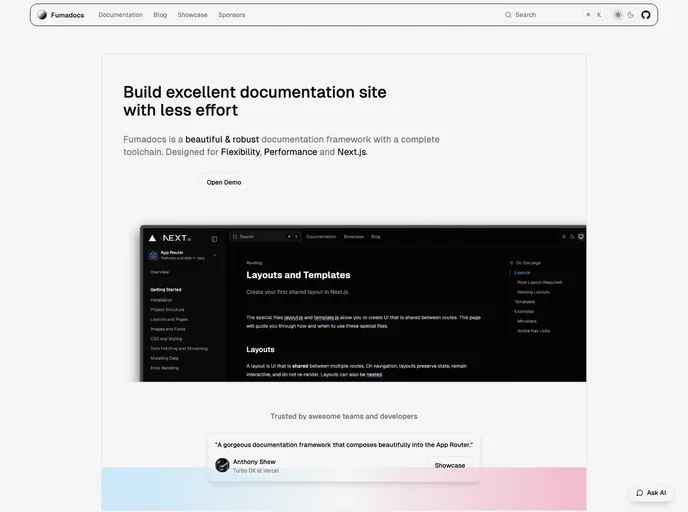


This is an example documentation website built with Next.js and Next Docs
Overview:
This is an example documentation website built with Next.js and Next Docs. It is a website that serves as a guide for getting started with Next.js and Next Docs. The website provides information on how to install and run the development server, how to edit pages, and how to use components generated with Shadcn UI. It also offers resources for learning more about Next.js and Next Docs, as well as instructions on how to deploy a Next.js app using the Vercel Platform.
Features:
- Built with Next.js and Next Docs: The website is built using Next.js and Next Docs, allowing for efficient and optimized documentation.
- Development Server: The website provides instructions on how to run the development server, allowing users to test and make changes to their Next.js app.
- Page Editing: Users can easily edit the pages of their Next.js app by modifying the app/page.tsx file, with the changes automatically updating the page.
- Shadcn UI: The website utilizes components generated with Shadcn UI, providing users with pre-built and customizable components for their Next.js app.
- Next.js and Next Docs Resources: The website offers links to Next.js documentation and Next Docs documentation, providing users with the ability to learn more about the features and usage of both frameworks.
- Deployment on Vercel: Users can easily deploy their Next.js app using the Vercel Platform, with instructions provided in the website's documentation.
Summary:
This example documentation website built with Next.js and Next Docs provides users with a comprehensive guide for getting started with Next.js and Next Docs. It offers features such as a development server, easy page editing, pre-built components with Shadcn UI, and resources for learning more about Next.js and Next Docs. Additionally, it provides instructions for deploying a Next.js app using the Vercel Platform. Overall, this website is a valuable resource for developers looking to build and deploy Next.js apps.
- Next.js
Next.js is a React-based web framework that enables server-side rendering, static site generation, and other powerful features for building modern web applications.
- React
React is a widely used JavaScript library for building user interfaces and single-page applications. It follows a component-based architecture and uses a virtual DOM to efficiently update and render UI components
- Tailwind
Tailwind CSS is a utility-first CSS framework that provides pre-defined classes for building responsive and customizable user interfaces.
- cmdk
cmdk is a fast, composable command menu component for React. It provides the foundation for building command palettes, search interfaces, and keyboard-navigable menus similar to those found in applications like VS Code, Linear, and Raycast.
- Documentation

Documentation themes are built specifically for writing technical and product documentation. They are normally written and maintained in Markdown. The often include a navigation menu, search bar, clear headings, semantic document structure and clean typography.
- Templates & Themes

A template or theme refers to a pre-designed layout or structure that provides a basic framework for building a specific type of application or website. It typically includes good design, placeholder content and functional features, allowing developers to customize and fill in the details according to their specific needs.
- Contentlayer

Contentlayer is an open-source platform for building dynamic, data-driven websites and applications using markdown files as the content source. It features an intuitive API, flexible content modeling, and easy integration with popular frontend frameworks and tools.
- Postcss

PostCSS is a popular open-source tool that enables web developers to transform CSS styles with JavaScript plugins. It allows for efficient processing of CSS styles, from applying vendor prefixes to improving browser compatibility, ultimately resulting in cleaner, faster, and more maintainable code.