
UI Challenges
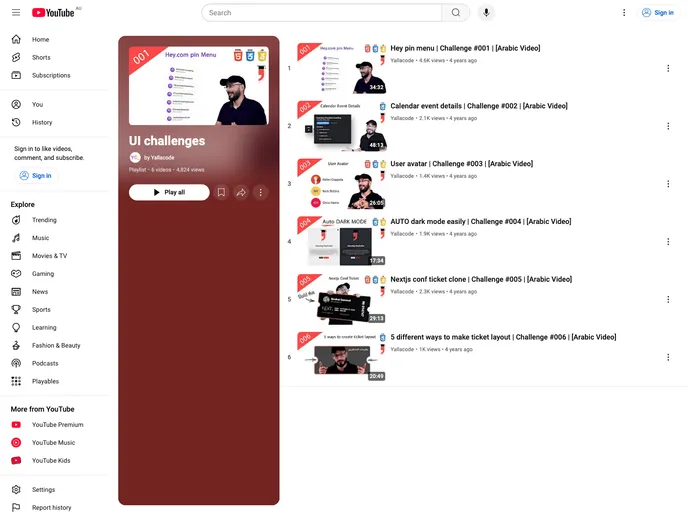
UI challenges by Semicolon, we accept challenges on twitter on #SemicolonChallenge
Overview
The Semicolon UI Challenges is a series of educational content created by the Semicolon Academy. It aims to provide viewers with insights into the implementation of various UI parts or components found in popular websites. By selecting specific UI parts, the challenges explore different implementation techniques and tricks that can be used to create similar components in different ways.
Features
- Hey pin menu: Learn how to implement a pin menu in both video and article formats.
- Calendar event details: Discover the implementation of calendar event details in a video tutorial.
- User avatar: Explore the creation of user avatars through a video demonstration.
- Auto dark mode: Understand the techniques behind implementing an auto dark mode, with both video and article resources.
- Nextjs conf ticket clone: Learn how to clone a Nextjs conf ticket in a detailed video and article.
- Ticket layout in 5 different ways: Discover five different ways to design ticket layouts through video tutorials and articles.
- Suggest a new challenge: Viewers are encouraged to suggest new challenges for future content. To suggest a challenge, mention Semicolon Academy (@SemicolonA) on Twitter.
Summary
The Semicolon UI Challenges offered by Semicolon Academy provide viewers with educational content on the implementation of various UI components found in popular websites. With a range of challenges available, viewers can learn different tricks and techniques to create similar UI parts in unique ways. The video tutorials and articles offer a comprehensive learning experience, while viewers are also encouraged to suggest new challenges for future content.
- UI Kits & Components

A UI kit provides developers with a set of reusable components that can be easily integrated into a website or application. These components are pre-designed with consistent styling and functionality, allowing developers to save time and effort in the design and development process. UI kits can be either custom-built or third-party, and often include components for buttons, forms, typography, icons, and more.