
Windi UI
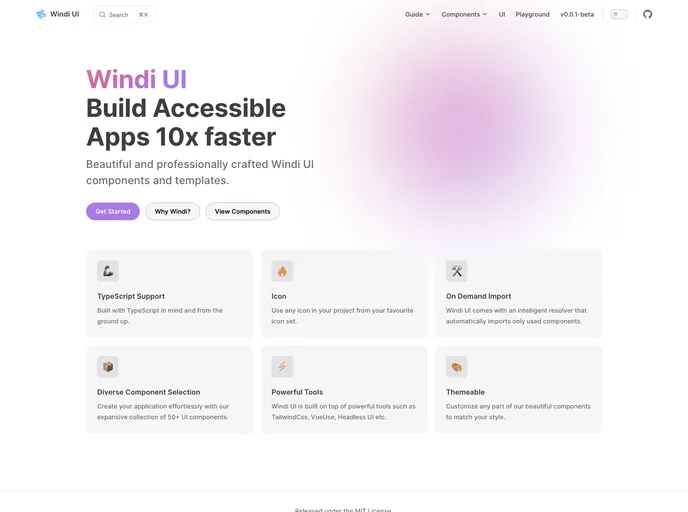






Build Accessible Apps 10x faster with Windi UI ( WIP :construction: )
Overview
Windi UI is a versatile UI framework built with TypeScript in mind. It offers a wide range of features and tools such as on-demand component import, diverse selection of UI components, and powerful tools like TailwindCSS and VueUse. Windi UI also allows for easy customization to match your desired style.
Features
- TypeScript Support: Built with TypeScript in mind and from the ground up.
- Icon: Use any icon from Iconify in your project from your favorite icon set.
- On Demand Import: Windi UI comes with an intelligent resolver that automatically imports only used components.
- Diverse Component Selection: Create your application effortlessly with our expansive collection of 50+ UI components.
- Powerful Tools: Windi UI is built on top of powerful tools such as TailwindCSS, VueUse, Headless UI, etc.
- Themeable: Customize any part of our beautiful components to match your style.
Getting Started
Add Windi UI to your project by running one of the following commands:
npm install windi-vue
or
yarn add windi-vue
Usage
Add the Windi UI theme file and the darkMode class in your tailwind.config.cjs file as shown below:
module.exports = {
  theme: {
    extend: {
      fontFamily: {
        sans: ['Inter var', ...defaultTheme.fontFamily.sans],
      },
    },
  },
  plugins: [
    require('@windicss/plugin-icons'),
    require('@tailwindcss/forms'),
    // ...
  ],
}
Component Registration
With Windi UI, you have the flexibility to register components precisely as you wish.
Import All Components
To import all the components provided by Windi UI, add WindiUI in your main entry file as shown below:
import { createApp } from 'vue'
import { WindiUI } from 'windi-vue'

const app = createApp(...)
app.use(WindiUI, options)
By doing this, you are importing all the components that are provided by Windi UI and in your final bundle, all the components including the ones you didn't use will be bundled. Use this method of component registration if you are confident that you will use all the components.
Individual Components with Tree Shaking
Probably you might not want to globally register all the components but instead only import the components that you need. You can achieve this by doing the following:
Import the createWindiUI option as well as the components you need as shown below:
import { createApp } from 'vue'
import { createWindiUI, Button, Alert } from 'windi-vue'

const app = createApp(...)
app.use(createWindiUI, {
  components: [Button, Alert],
  // ...
})
Now you can use the component as shown below:
<template>
  <div>
    <Button>Click me</Button>
    <Alert type="success">Success message</Alert>
  </div>
</template>
The prefix option is only available for individual component imports.
Auto Imports with Tree Shaking
Windi UI comes with an intelligent resolver that automatically imports only used components. This is made possible by leveraging a tool known as unplugin-vue-components which lets you auto-import components on demand, thus omitting import statements and still get the benefits of tree shaking.
To achieve this, you need to do the following:
- Install the
unplugin-vue-componentspackage by running one of the following commands:
npm install -D unplugin-vue-components
or
yarn add -D unplugin-vue-components
- Head over to your
main.tsormain.jsfile and setregisterComponentstofalseas shown below:
import { createApp } from 'vue'
import { createWindiUI } from 'windi-vue'

const app = createApp(...)
app.use(createWindiUI, {
  registerComponents: false,
  // ...
})
- Head over to your
vite.config.tsorvite.config.jsfile and add the following:
import { defineConfig } from 'vite'
import WindiCSS from 'vite-plugin-windicss'

export default defineConfig({
  plugins: [
    // ...
    WindiCSS({
      safelist: 'prose',
    }),
  ],
})
Now you can simply use any component that you want and it will be auto-imported on demand.
Troubleshooting TypeScript Error
If you're encountering the TypeScript error: "Cannot find module 'windi-vue/dist/theme/windiTheme' or its corresponding type declarations," you can follow these steps to resolve it:
- Create a
windi-vue.d.tsdeclaration file in yoursrcdirectory and inside it paste the following code:
declare module 'windi-vue/dist/theme/windiTheme' {
  import { WindiTheme } from 'windicss/types/interfaces'
  const theme: WindiTheme
  export default theme
}
- The error should now be resolved.
Note: This issue is set to be fixed in the next release of Windi UI v0.0.1 Alpha.
Summary
Windi UI is a powerful UI framework built with TypeScript in mind. It offers a wide range of features and tools such as on-demand component import, a diverse selection of UI components, and customization options. With Windi UI, you can easily build web applications with ease. Contributions are welcome and encouraged.
- Vite
Vite is a build tool that aims to provide a faster and leaner development experience for modern web projects
- Vitepress
VitePress is a static site generator designed for creating documentation websites. It offers a lightweight and fast development experience using Vue.js and Markdown, with features such as live-reload, theming, and customizable layout components.
- Vue
Vue.js is a lightweight and flexible JavaScript framework that allows developers to easily build dynamic and reactive user interfaces. Its intuitive syntax, modular architecture, and focus on performance make it a popular choice for modern web development.
- SCSS
SCSS is a preprocessor scripting language that extends the capabilities of CSS by adding features such as variables, nesting, and mixins. It allows developers to write more efficient and maintainable CSS code, and helps to streamline the development process by reducing repetition and increasing reusability.
- Tailwind
Tailwind CSS is a utility-first CSS framework that provides pre-defined classes for building responsive and customizable user interfaces.
- UnoCSS
UnoCSS is an instant, on-demand atomic CSS engine that generates utility classes at build time. It's highly customizable, extremely fast, and compatible with Tailwind CSS utilities while offering additional features like attributify mode and pure CSS icons.
- Eslint

ESLint is a linter for JavaScript that analyzes code to detect and report on potential problems and errors, as well as enforce consistent code style and best practices, helping developers to write cleaner, more maintainable code.
- Postcss

PostCSS is a popular open-source tool that enables web developers to transform CSS styles with JavaScript plugins. It allows for efficient processing of CSS styles, from applying vendor prefixes to improving browser compatibility, ultimately resulting in cleaner, faster, and more maintainable code.
- Typescript

TypeScript is a superset of JavaScript, providing optional static typing, classes, interfaces, and other features that help developers write more maintainable and scalable code. TypeScript's static typing system can catch errors at compile-time, making it easier to build and maintain large applications.