
Ace Responsive Menu
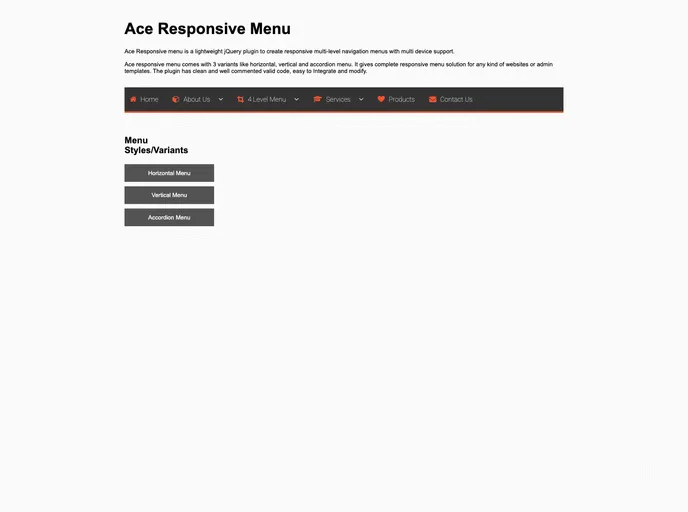

Ace responsive menu is a lightweight jQuery plugin to create responsive multi-level navigation menus with multi device support. Ace responsive menu comes with 3 variants like horizontal, vertical and accordion menu. It gives complete responsive menu solution for any kind of websites or admin temp...
Overview
Ace Responsive Menu is a lightweight jQuery plugin that allows users to create multi-level navigation menus with support for multiple devices. It offers three menu variants - horizontal, vertical, and accordion - making it a versatile solution for both websites and admin templates. The plugin is highly customizable and integrates well with other frameworks like Bootstrap. It also supports various events such as click and hover, ensuring a smooth user experience across different browsers.
Features
- Fully responsive multi-level menu
- Menu styles: Horizontal, Vertical, and Accordion
- Support for 4 levels of menu
- Icon support, integrated with FontAwesome
- Click/hover events for menu interaction
- Lightweight jQuery script
- Valid HTML5 and CSS3
- Compatible with Bootstrap
- Easy to integrate and customize
- Cross-browser support
- Clean and well-commented code
- Help documentation provided
Summary
Ace Responsive Menu is a versatile jQuery plugin that provides a complete responsive menu solution for websites and admin templates. It offers three different menu styles, supports multiple levels of navigation, and integrates well with other frameworks like Bootstrap. With its lightweight code, easy integration, and extensive customization options, Ace Responsive Menu is a great choice for creating mobile-friendly menus.
- HTML
HTML templates are pre-designed and pre-built web pages that can be customized and used as a basis for building websites. They often include common elements such as headers, footers, menus, and content sections, and can be easily edited using HTML and CSS to fit specific branding and content needs.