
Create Expo Stack
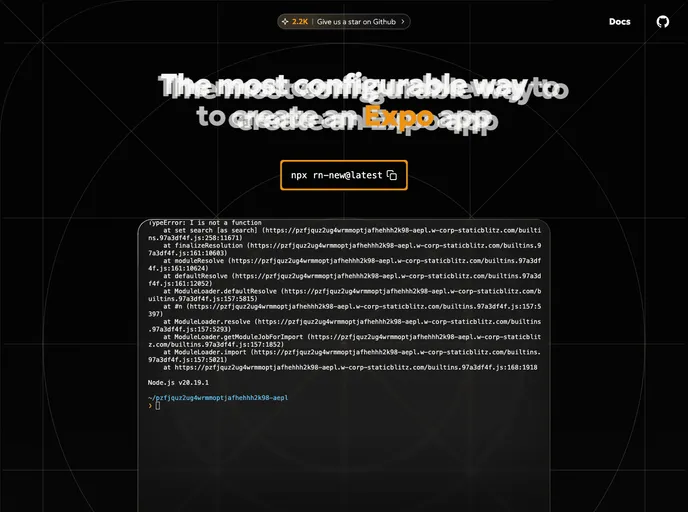


CLI tool to initialize a React Native application with Expo. Provides options to include Typescript, file-based routing via Expo Router, configuration based routing via pure React Navigation, styling via Nativewind, Restyle, Unistyles, StyleSheets, or Tamagui, and/or backend as a service such as ...
Overview
The Create Expo Stack CLI is an impressive tool aimed at developers who want to jumpstart their projects with React Native and Expo. This command-line interface (CLI) simplifies the setup and configuration process, providing a user-friendly way to generate mobile applications without the hassle of diving deep into individual configurations. It's designed not just for seasoned developers, but also for those who are just starting out with React Native.
Getting started is as easy as using a simple command. Once you run the CLI, you can easily opt into various features tailored to your project's needs. This flexibility makes it an excellent choice for those looking to harness the full potential of React Native in conjunction with Expo.
Features
-
Custom Project Setup: Quickly configure your project with options like Typescript, Expo Router, and configuration-based navigation.
-
Multiple Styling Options: Choose from a variety of styling libraries including NativeWind, Restyle, StyleSheets, and Tamagui.
-
Flexible Authentication: Seamlessly integrate authentication with supported providers such as Supabase or Firebase.
-
Custom Flags for Flexibility: Utilize flags such as --noInstall, --noGit, or --default to tailor your setup process according to your preferences.
-
Package Manager Detection: The CLI intelligently detects your preferred package manager, or you can specify it using flags like --npm, --yarn, --pnpm, or --bun.
-
Easily Extendable Templates: A modular approach allows for individual files and libraries, making the CLI extendable with the latest features.
-
Consistent Library Use: Designed around popular libraries like React and React Navigation ensuring you’re working with tried and true technology.
-
Efficient Project Generation: Projects are generated on a per-file basis for maximum customizability while keeping common files organized.
The Create Expo Stack CLI empowers developers with the tools they need to create dynamic mobile applications while streamlining the tedious parts of project setup.
- React Native
React Native is a framework for building mobile applications using React and JavaScript. It enables developers to write once and deploy to multiple platforms, including iOS, Android, and the web, while providing a native app-like experience to users.
- Tailwind
Tailwind CSS is a utility-first CSS framework that provides pre-defined classes for building responsive and customizable user interfaces.
- Firebase
Firebase offers a comprehensive set of features, including real-time database, authentication, hosting, cloud functions, storage, and more. Firebase provides an easy-to-use interface and allows developers to focus on building features rather than managing infrastructure.
- Supabase
Supabase is an open source Firebase alternative. Start your project with a Postgres database, Authentication, instant APIs, Edge Functions, Realtime subscriptions, and Storage.
- Fullstack

A fullstack boilerplate provides a starter application that includes both frontend and backend. It should include database, auth, payments, user roles and other backend services to build a fully featured saas or webapps.
- Templates & Themes

A template or theme refers to a pre-designed layout or structure that provides a basic framework for building a specific type of application or website. It typically includes good design, placeholder content and functional features, allowing developers to customize and fill in the details according to their specific needs.
- Eslint

ESLint is a linter for JavaScript that analyzes code to detect and report on potential problems and errors, as well as enforce consistent code style and best practices, helping developers to write cleaner, more maintainable code.
- Expo
An open-source platform for making universal native apps with React. Expo runs on Android, iOS, and the web.
- Typescript

TypeScript is a superset of JavaScript, providing optional static typing, classes, interfaces, and other features that help developers write more maintainable and scalable code. TypeScript's static typing system can catch errors at compile-time, making it easier to build and maintain large applications.