
Solid Date Picker
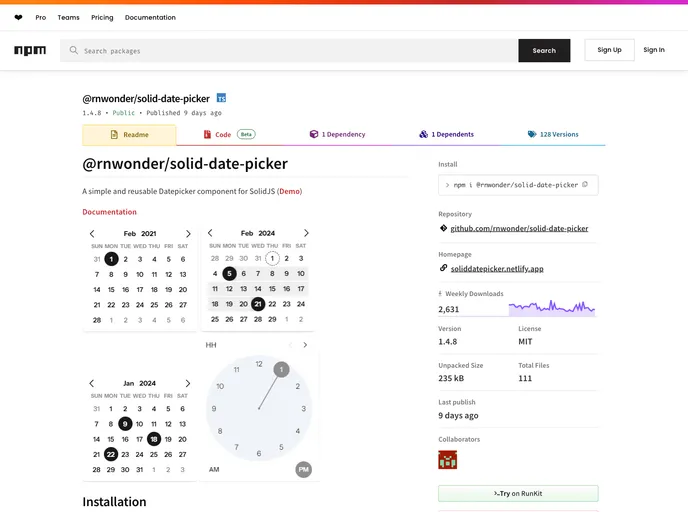
A simple and reusable Datepicker component for SolidJS
Overview:
The @rnwonder/solid-date-picker is a robust and user-friendly Datepicker component designed specifically for SolidJS applications. This component stands out for its ease of use and flexibility, making it a great addition for developers looking to enhance their web projects with effective date selection functionality. With modern styling options and strong integration into the SolidJS ecosystem, this Datepicker feels both intuitive and powerful, accommodating a variety of needs.
Whether for a simple form or a complex application, the Datepicker provides seamless integration, allowing for client-side rendering with minimal hassle. Its modern design and extensive customization options make it appealing for both beginners and advanced developers.
Features:
- Simple Installation: Requires only solid-js as a dependency, ensuring smooth setup and integration into existing projects.
- Client-Side Support: Easily utilized as a client-side component with the unstable_clientOnly from solid-start, promoting responsive and interactive experiences.
- Customizable Styling: Users can style the Datepicker through class props, color options, and default CSS class names, offering ample room for personalization.
- Diverse Themes: A growing selection of themes is available, allowing developers to match the Datepicker's design with their application's aesthetic seamlessly.
- Flexible Formatting: Formatting options for input labels are plentiful, including custom formats for start and end dates, boosting usability.
- Utility Functions: A range of utility functions is provided, enhancing the Datepicker's capabilities and simplifying development tasks.
- Time Picker Feature: Currently in beta, this feature extends functionality by allowing users to pick times along with dates, making it more versatile for event scheduling.
- Active Development: The component is continually being improved with a roadmap for additional features, themes, and utility functions, ensuring it stays current with user needs.