
Genius Android
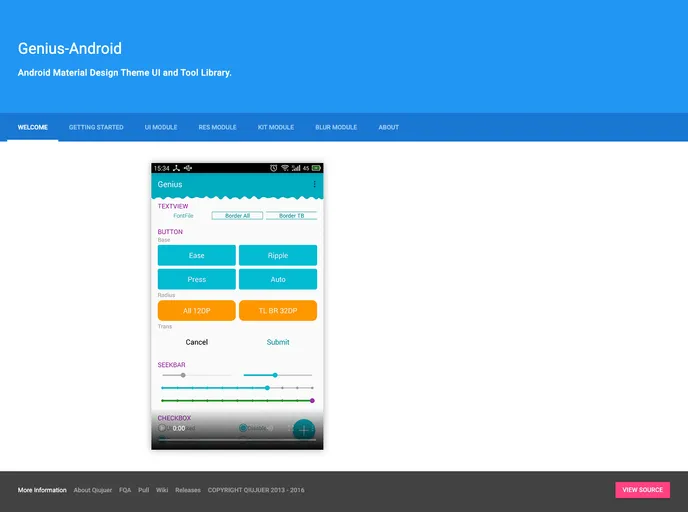
Android Material Design Theme UI and Tool Library. Support: 4.0.3~O
Overview
The Genius-Android is a library developed in 2015, based on Material Design style and includes commonly used packages. It offers two branches: STEADY and CAPRICE, with the former containing Ui, Graphics, and Kit libraries, while the latter is a new branch that includes Ui, Graphics, and Kit libraries along with Material Design Color and Dimen resources. It is important to note that STEADY and CAPRICE libraries are not compatible and are completely independent branches. The library provides a sample APK for testing purposes, as well as a video demo.
Features
- Material Design style: The library is developed based on the Material Design guidelines, ensuring a consistent and visually appealing UI design.
- Commonly used packages: Genius-Android includes a variety of commonly used packages such as command, handler, reflect, and blur, providing developers with useful tools and resources.
- Two branches: The library offers two branches, STEADY and CAPRICE, each with its own set of Ui, Graphics, and Kit libraries, allowing developers to choose the one that best suits their needs.
To add the Genius-Android library to your project, follow these steps:
- Open your project's build.gradle file.
- Add the following line to the dependencies block:
implementation 'net.qiujuer.genius:genius:1.0.0'
- Sync your project with Gradle.
Summary
Genius-Android is a library that provides developers with a set of useful tools and resources for building Android applications. Developed based on the Material Design guidelines, it offers a visually appealing UI design and includes commonly used packages such as command, handler, reflect, and blur. With two independent branches, STEADY and CAPRICE, developers have the flexibility to choose the branch that suits their needs. Adding the library to your project is straightforward using Gradle dependency management.