
Charcoal Ios
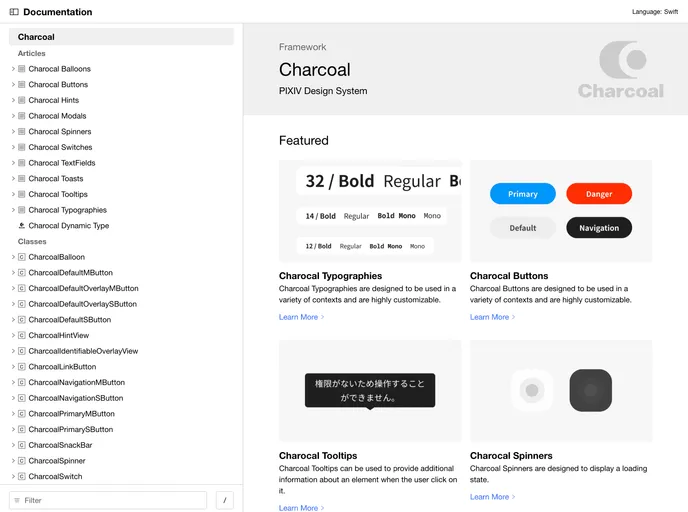
Design system library by pixiv
Overview
charcoal-ios is a design system created by PIXIV for iOS developers. It offers a set of components and styles that can be used to build consistent and visually appealing user interfaces. charcoal-ios is compatible with both SwiftUI and UIKit, making it versatile for different project needs.
Features
- Comprehensive Design System: charcoal-ios provides a wide range of components and styles to ensure a consistent design language throughout an iOS app.
- Support for SwiftUI and UIKit: Developers can choose between using SwiftUI or UIKit, depending on their familiarity and project requirements.
- Easy Integration: charcoal-ios can be installed using Swift Package Manager, allowing for seamless integration into existing projects.
Swift Package Manager
- Open your Xcode project.
- Go to File -> Swift Packages -> Add Package Dependency.
- Paste the URL of the charcoal-ios repository (insert URL here).
- Choose the desired version of charcoal-ios.
- Click Next and follow the prompts to complete the installation.
Summary
charcoal-ios is a versatile design system for iOS developers created by PIXIV. With its comprehensive set of components and styles, developers can easily create visually appealing and consistent user interfaces. It supports both SwiftUI and UIKit, and can be easily integrated into existing projects using Swift Package Manager.
- UI Kits & Components

A UI kit provides developers with a set of reusable components that can be easily integrated into a website or application. These components are pre-designed with consistent styling and functionality, allowing developers to save time and effort in the design and development process. UI kits can be either custom-built or third-party, and often include components for buttons, forms, typography, icons, and more.