
Web UI Template
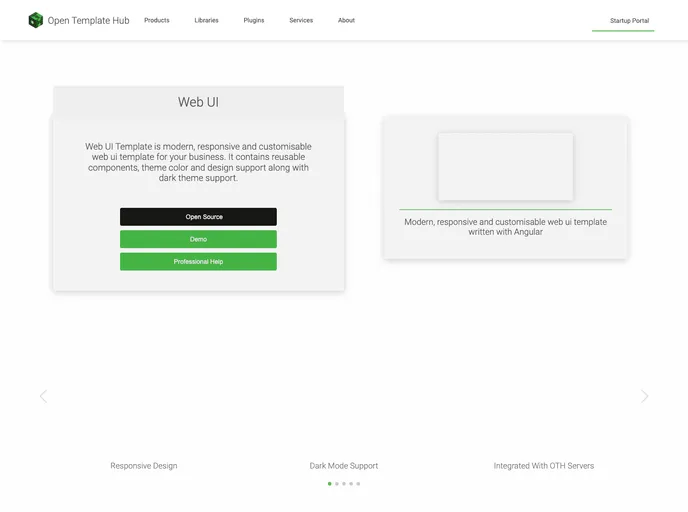


Web UI Template is a modern, responsive, and customizable web UI template for your business. It contains reusable components, theme color, and design support along with dark theme support.
Overview
The Web UI Template is a modern, responsive, and customizable web UI template designed for businesses. It offers a range of features, reusable components, theme color options, and support for both light and dark themes.
Features
- Reusable components: The template includes a collection of reusable components that can be easily integrated into your web application.
- Theme color customization: You can customize the theme color of the template to match your brand identity.
- Responsive design: The template is designed to be fully responsive, ensuring optimal display on various devices and screen sizes.
- Dark theme support: In addition to the light theme, the template also offers a dark theme option, giving users a choice of visual styles.
- Express deployment: You can quickly deploy the template to Heroku using the provided deployment instructions.
- UI Generator: The template includes a UI Generator package that allows you to easily create your own UI based on the template.
- GitHub template: The template is also available as a GitHub repository, which can be used as a starting point for your project.
Local Deployment and Debugging
To deploy and debug the template locally, follow these steps in order:
- Run the
install.run.xmlconfiguration. - Run the
buildLocal.run.xmlconfiguration. - Run the
startLocal.run.xmlconfiguration to start the local version of the template.- If you want to access the template from an iPhone, use the
startLocalFromIPhone.run.xmlconfiguration. - If you want to use the staging API, run the
startLocalToStagingApi.run.xmlconfiguration. - If you want to access the staging API from an iPhone, use the
startLocalFromIPhoneToStagingApi.run.xmlconfiguration.
- If you want to access the template from an iPhone, use the
- If you need to debug the template, use the
debug.run.xmlconfiguration.
Environment Variables
If you are using WebStorm and have run the env.run.xml configuration, you will find the following variables generated in the .env file. Make sure to set them appropriately for your project.
Brand Color Scale Generator
To generate brand color scales, the template utilizes the Colllor tool.
Favicon Generation
For generating the favicon, refer to the FAVICON_GENERATION.md file for instructions.
Cookie Policy Generation
To generate the cookie policy, use the cookiepolicygenerator website.
Localization
To generate or update the localization, use the updateMessages.run.xml configuration.
Outdated Packages
To check for outdated npm packages and update them, refer to the OUTDATED.md file. Note that updating packages carries some risk and should be done with caution.
Summary
The Web UI Template is a versatile web UI template designed for businesses. It offers a range of features and customization options, including reusable components, theme color customization, responsive design, and support for dark themes. The template can be easily deployed to Heroku, and it also provides a UI Generator package and a GitHub repository for easy customization. Installation instructions are provided, along with details on local deployment and debugging.
- Angular
Angular is a TypeScript-based open-source framework by Google for building dynamic single-page applications and cross-platform mobile apps with MVC architecture and a rich set of features.
- Express
Express.js is a simple Node.js framework for single, multi-page, and hybrid web applications.
- Templates & Themes

A template or theme refers to a pre-designed layout or structure that provides a basic framework for building a specific type of application or website. It typically includes good design, placeholder content and functional features, allowing developers to customize and fill in the details according to their specific needs.
- UI Kits & Components

A UI kit provides developers with a set of reusable components that can be easily integrated into a website or application. These components are pre-designed with consistent styling and functionality, allowing developers to save time and effort in the design and development process. UI kits can be either custom-built or third-party, and often include components for buttons, forms, typography, icons, and more.
- Graphql
A website that uses GraphQL as a query language to manage data fetching and state management. This includes features such as a strongly typed schema, client-side caching, and declarative data fetching to streamline data management and optimize website performance.
- Typescript

TypeScript is a superset of JavaScript, providing optional static typing, classes, interfaces, and other features that help developers write more maintainable and scalable code. TypeScript's static typing system can catch errors at compile-time, making it easier to build and maintain large applications.