
Ohmyzsh
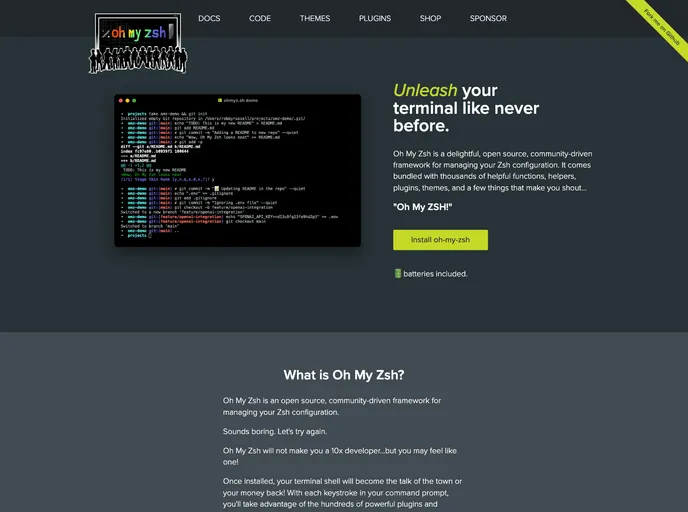
A delightful community-driven (with 2,400+ contributors) framework for managing your zsh configuration. Includes 300+ optional plugins (rails, git, macOS, hub, docker, homebrew, node, php, python, etc), 140+ themes to spice up your morning, and an auto-update tool that makes it easy to keep up wi...
Overview
Oh My Zsh is a community-driven framework for managing your zsh configuration. It offers powerful plugins and beautiful themes to enhance your terminal shell experience.
Features
- Open source and community-driven framework
- Hundreds of powerful plugins available
- Beautiful themes to customize your terminal shell
Prerequisites:
- Zsh should be installed (preferably version 5.0.8 or newer)
- curl or wget should be installed
- git should be installed (recommended version 2.4.11 or higher)
Basic Installation:
- Open your terminal and run one of the following commands:
- Command for curl:
sh -c "$(curl -fsSL https://raw.githubusercontent.com/ohmyzsh/ohmyzsh/master/tools/install.sh)" - Command for wget:
sh -c "$(wget -O- https://raw.githubusercontent.com/ohmyzsh/ohmyzsh/master/tools/install.sh)" - Command for fetch:
sh -c "$(fetch -o - https://raw.githubusercontent.com/ohmyzsh/ohmyzsh/master/tools/install.sh)"
- Command for curl:
- Wait for the installation process to complete.
- Oh My Zsh is now installed and ready to use.
Summary
Oh My Zsh is a powerful tool for customizing and enhancing your terminal shell experience. With its open source nature, extensive plugin library, and beautiful themes, Oh My Zsh allows users to take full control over their zsh configuration. By installing Oh My Zsh, users can unlock a world of possibilities in their command prompt, making their terminal shell the talk of the town.
- Templates & Themes

A template or theme refers to a pre-designed layout or structure that provides a basic framework for building a specific type of application or website. It typically includes good design, placeholder content and functional features, allowing developers to customize and fill in the details according to their specific needs.