
Nocta UI
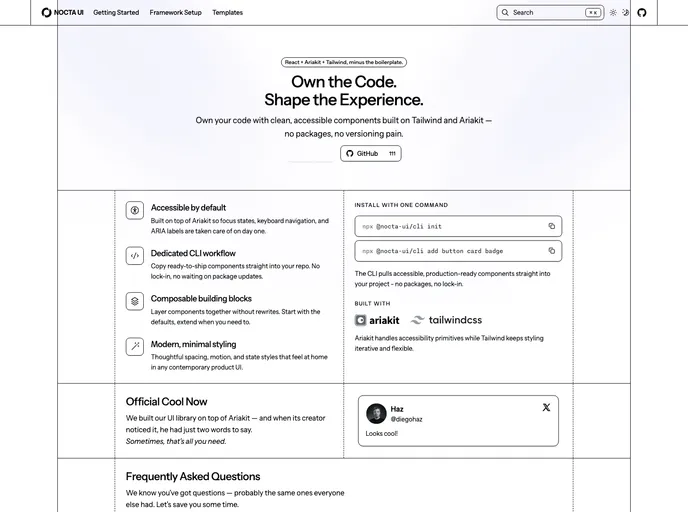
Modern, accessible React components built with TypeScript and Tailwind CSS.
Overview
Nocta UI is an innovative React component library that empowers developers with full control over their source files. With a focus on keeping installations lightweight and version-free, this library is designed to boost efficiency while providing accessible components built on the robust @ariakit/react framework. Whether you’re developing with Next.js, Vite, or React Router, Nocta UI offers a seamless integration experience that enhances your project structure and component management.
What sets Nocta UI apart is its user-friendly CLI that simplifies the setup process. It analyzes your existing project environment, automatically configures essential files, and adds the necessary dependencies to ensure that you can kickstart your development quickly. This makes Nocta UI an excellent choice for developers looking to streamline their workflow while harnessing the power of customizable components.
Features
-
Lightweight Installation: Nocta UI’s CLI provides a version-free approach, ensuring that installations are streamlined and efficient.
-
Framework Support: Compatible with popular stacks like Next.js (both App and Pages Router), Vite + React, and React Router 7, making integration effortless.
-
Single and Monorepo Workspaces: The CLI supports both single workspaces and monorepo setups, allowing for flexible project structures tailored to your needs.
-
Component Initialization: The
initcommand configures your project, writing crucial files likenocta.config.jsonand linking shared UI packages as needed. -
Accessibility Focus: Built-in accessible components from @ariakit/react ensure that your UI adheres to best practices, enhancing user experience.
-
Tailwind CSS Integration: Automatically injects Nocta design tokens into your Tailwind entry file, simplifying styling consistency across components.
-
Rollback Feature: If any issues arise during setup, the CLI rolls back changes to keep your working tree clean and organized.
-
Community Contribution: An open invitation for developers to contribute with bug reports, feature requests, and code contributions fosters a collaborative environment.