
Meteor Font Awesome
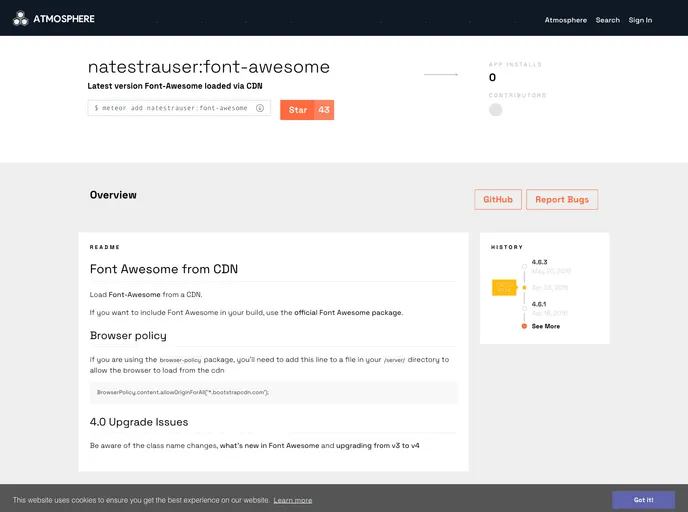
Meteor package for font awesome loaded from CDN
Overview
Font Awesome is a popular icon toolkit that provides a wealth of icons for web developers to enhance their projects. It’s incredibly flexible and can be easily integrated into your applications either by directly linking to a CDN or by including it in your project build with the official package. With regular updates, it continues to evolve, offering new icons and features that align with modern design requirements.
One important consideration when upgrading to newer versions of Font Awesome, particularly from v3 to v4, is the changes in class names. Familiarity with these updates is essential to maintain seamless functionality in your project. This review will cover some of the standout features of Font Awesome that make it a go-to choice for many developers.
Features
-
Wide Range of Icons: Font Awesome provides thousands of icons across various categories, ensuring you can find the perfect graphic for any application.
-
Easy Integration: You can easily implement Font Awesome using a CDN link or the official package in your build process, catering to your development preference.
-
Customizable Styles: Icons can be customized with CSS, allowing you to change colors, sizes, and more to match your website’s aesthetics.
-
Responsive Design: Font Awesome icons scale perfectly to fit any screen size, making them ideal for responsive web design.
-
Regular Updates: The toolkit is frequently updated with new icons and features, helping developers keep up with design trends and requirements.
-
Browser Policy Compatibility: When using the browser-policy package, you'll find straightforward instructions to allow the browser to load icons from the CDN, ensuring smooth functionality.
-
Comprehensive Documentation: Font Awesome comes with detailed documentation, making it easy for developers to understand how to implement and customize the icons effectively.