Nextjs Portfolio Cum Blog
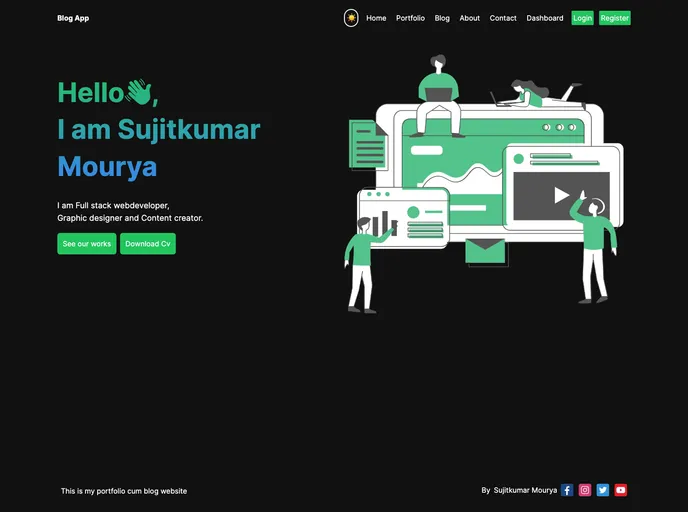
This is my portfolio website in this you can download my cv and see my work and can login signup and post some blogs
Overview
This article provides an introduction to a Next.js project, which has been bootstrapped with create-next-app. It explains how to run the development server and provides information on editing the project. The article also mentions the use of next/font to optimize and load a custom Google Font. Additionally, it includes resources for learning more about Next.js and recommendations for deploying the Next.js app on the Vercel Platform.
Features
- Bootstraped with create-next-app: The project is conveniently bootstrapped with create-next-app, allowing for an easy setup process.
- Development server: The article provides instructions on running the development server to view the project in the browser.
- Edit and auto-update: Users can modify the app/page.js file to make changes to the page and the changes will automatically be updated in the browser.
- next/font integration: The project utilizes next/font to optimize and load Inter, a custom Google Font.
- Next.js documentation: The article directs users to the Next.js Documentation, which provides information on the features and API of Next.js.
- Interactive Next.js tutorial: Users interested in learning more about Next.js can explore the interactive Next.js tutorial mentioned in the article.
- Next.js GitHub repository: The article suggests checking out the Next.js GitHub repository for providing feedback and contributions to the project.
- Deploy on Vercel: The article recommends using the Vercel Platform, created by the creators of Next.js, for deploying the Next.js app. It provides a link to the Next.js deployment documentation for more information.
Summary
This article introduces a Next.js project bootstrapped with create-next-app. It provides information on running the development server, editing the project, and utilizing next/font to optimize and load a custom Google Font. Additionally, it offers resources for learning more about Next.js and recommends using the Vercel Platform for deploying the app.