
Json Formatter

Angular directive for collapsible JSON in HTML
Overview
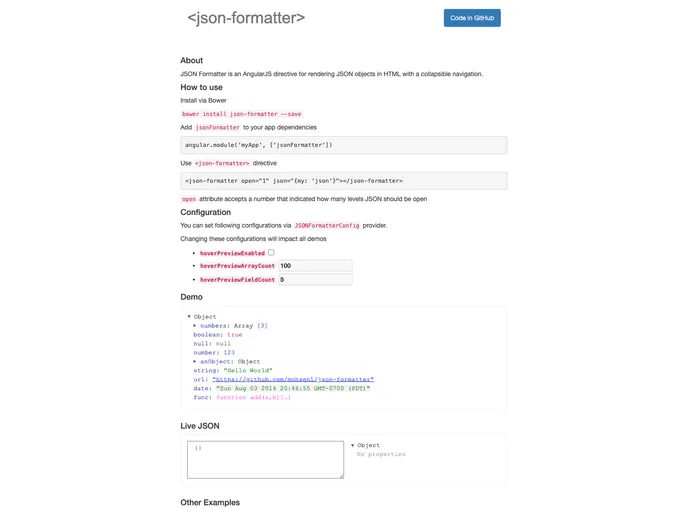
The JSON Formatter is an impressive AngularJS directive that simplifies the visualization of JSON objects in HTML. With its user-friendly collapsible navigation feature, it allows developers to efficiently manage and present complex data structures. Available in both AngularJS and pure JavaScript versions, it caters to a variety of development needs without any dependencies.
This tool is particularly valuable for those who want to debug JSON data or present it in an organized manner. Its easy installation via Bower or npm makes integration into projects straightforward, and its configuration options provide the flexibility needed for diverse applications.
Features
-
Collapsible Navigation: The directive offers a collapsible interface, allowing users to expand or collapse different levels of JSON objects for easier navigation.
-
Open Level Control: The
openattribute lets you specify how many levels of the JSON should be rendered opened by default, enhancing user experience. -
Hover Preview: With
hoverPreviewEnabled, users can enable a preview of JSON data on hover, providing quick insights without unnecessary clicks. -
Customizable Preview Limits: You can set limits for how many array items and object properties are displayed in hover previews, ensuring the display remains clean and manageable.
-
Browser Compatibility: The JSON Formatter is designed to work across all modern browsers, with support extending to Internet Explorer 9, making it widely accessible.
-
Easy Configuration: Using the JSONFormatterConfig provider, developers can easily modify settings and preferences according to their project requirements.
-
Zero Dependency Option: The pure JavaScript version allows for use without any AngularJS dependencies, broadening its application potential.
- Angular
Angular is a TypeScript-based open-source framework by Google for building dynamic single-page applications and cross-platform mobile apps with MVC architecture and a rich set of features.
- Gulp

Gulp.js is an old but popular site building tool that automates various repetitive development tasks in web development, such as compiling Sass, minifying JavaScript, and optimizing images.