
Bootstrap Image Hover
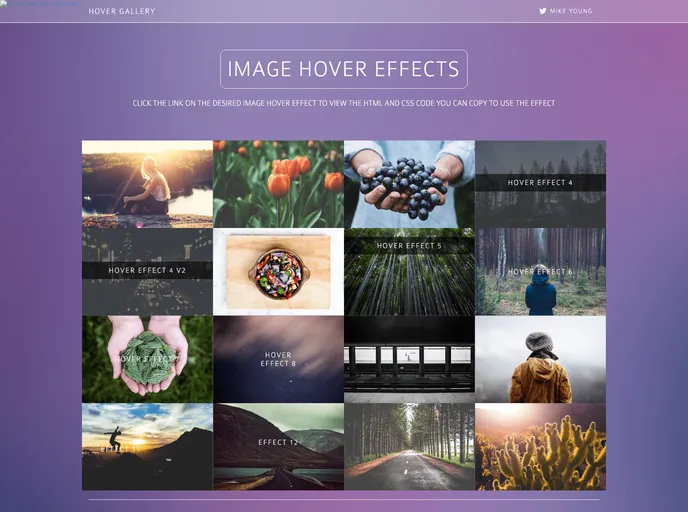

Image hover effects that work with or without bootstrap
Overview
Image hover effects can greatly enhance the visual appeal of a website, particularly when paired with Bootstrap. With the right CSS and HTML code, these effects allow images to reveal additional information or creative overlays on mouse hover. However, the challenge lies in making these effects responsive, particularly for mobile devices that do not recognize hover actions.
For developers looking to create engaging content that is accessible on all devices, there are effective solutions to ensure that hover states do not hinder user experience. By using media queries and thoughtful design choices, you can implement hover effects while ensuring that the content remains available to all users.
Features
-
Responsive Design: Easily adapt hover effects for various screen sizes by using CSS media queries to ensure accessibility on mobile devices.
-
Bootstrap Compatibility: Utilize the effects seamlessly within Bootstrap frameworks, or opt to remove specific classes if preferred for a more streamlined approach.
-
Creative Overlays: Implement stylish overlays with text or icons that appear during hover states, enhancing the interactive feel of your site.
-
Transform Effects: Use CSS transformations to add dynamic scaling and positioning, creating an engaging user experience with visual feedback during interaction.
-
Fallback Options: Provide visible social icons or alternative text for mobile users, maintaining usability even without hover functionalities.
-
Customizable Styles: Easily modify styles to fit the branding of your site, including colors, fonts, and animations tailored to your aesthetic preferences.
-
SASS Implementation: Future-proof your styles by creating hover effects with SASS for cleaner and more maintainable code.
- Bootstrap
Bootstrap is the most popular CSS Framework for developing responsive and mobile-first websites.
- Grunt

Grunt is a popular JavaScript task runner that automates repetitive tasks like minification, compilation, and testing, allowing developers to focus on writing code.