
Vscode
Visual Studio Code
Overview
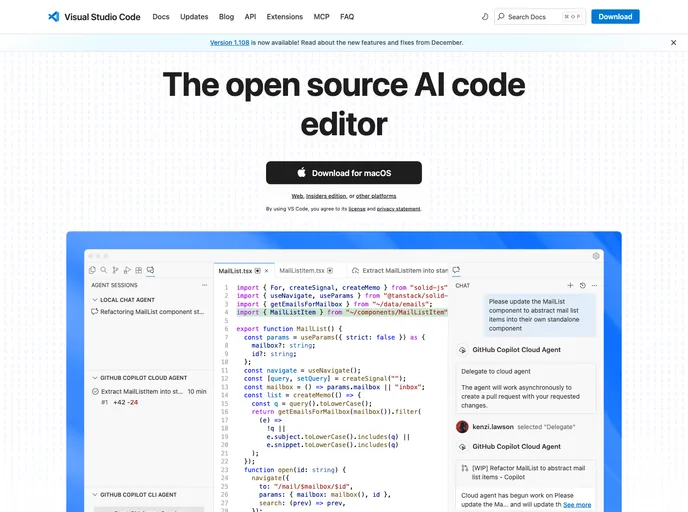
Visual Studio Code (VS Code) is a powerful code editor developed by Microsoft that merges the simplicity of a traditional editor with tools essential for coding, such as debugging and code navigation. Built upon an open-source repository called Code - OSS, it offers developers a collaborative environment where they can contribute and make enhancements. With regular monthly updates and a plethora of extensions, VS Code stands out as an optimal choice for developers across various platforms—Windows, macOS, and Linux.
One of the highlights of VS Code is its commitment to community involvement, allowing users to submit feature requests, report bugs, and partake in code reviews. This engagement not only helps streamline the development process but also ensures that the tool evolves in line with the needs of its users. Whether you're a newcomer or an experienced developer, VS Code promises a feature-rich experience that supports a wide array of programming languages and frameworks.
Features
-
Open Source: Built on the Code - OSS repository, allowing community contributions and access to source code under the MIT license.
-
Cross-Platform Support: Available for Windows, macOS, and Linux, making it accessible to a wide range of developers.
-
Lightweight Debugging: Offers built-in debugging features to streamline the coding process, allowing for quick troubleshooting.
-
Rich Extensibility Model: Supports a vast library of extensions that enhance functionality whether you need snippets, language support, or other useful integrations.
-
Monthly Updates: Regular updates include new features and bug fixes, keeping the tool current and functional.
-
Rich Language Support: Built-in grammars and snippets for various programming languages, enhancing code clarity and performance.
-
Community Involvement: Encourages users to engage with the development process through feature requests, bug submissions, and code reviews.
-
Integration with Dev Containers: Supports development containers for more complex setups, enabling developers to work seamlessly in integrated environments.
- Eslint

ESLint is a linter for JavaScript that analyzes code to detect and report on potential problems and errors, as well as enforce consistent code style and best practices, helping developers to write cleaner, more maintainable code.
- Gulp

Gulp.js is an old but popular site building tool that automates various repetitive development tasks in web development, such as compiling Sass, minifying JavaScript, and optimizing images.
- Typescript

TypeScript is a superset of JavaScript, providing optional static typing, classes, interfaces, and other features that help developers write more maintainable and scalable code. TypeScript's static typing system can catch errors at compile-time, making it easier to build and maintain large applications.
- Webpack

Webpack is a popular open-source module bundler for JavaScript applications that bundles and optimizes the code and its dependencies for production-ready deployment. It can also be used to transform other types of assets such as CSS, images, and fonts.