Dropdown Menu Component React
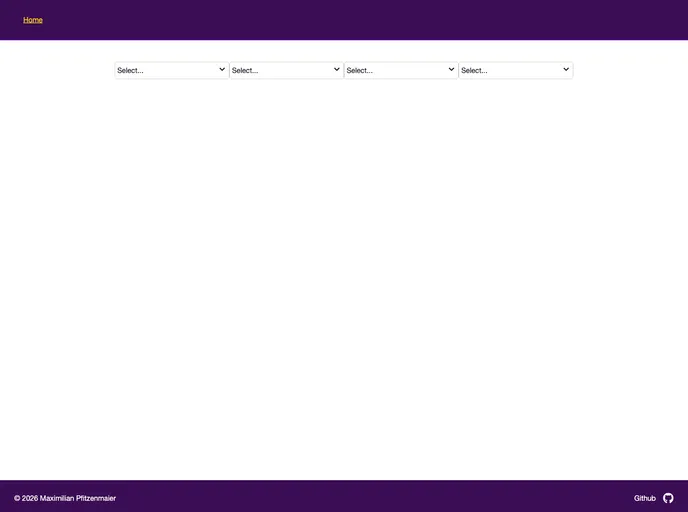
The React Dropdown Menu Component Template: An easy-to-use, customizable dropdown menu solution for React apps. Enhance user experience with a sleek and intuitive menu interface.
Product Analysis: React Dropdown Menu Template
Overview
The React Dropdown Menu Component Template provides an easy-to-use and customizable dropdown menu solution for React applications. This template enhances user experience by offering a sleek and intuitive menu interface. It supports various features, including multi-selection, search interaction, responsive design, and customizable styles. Developers can easily modify the appearance, behavior, and content of the dropdown menu to suit their project requirements.
Features
- Customizable Styles: Easily modify the appearance of the dropdown menu to match your project's design.
- Multi-Selection: Users can select multiple options from the dropdown menu.
- Search Interaction: Allows users to search for specific options within the dropdown menu.
- Responsive Design: The dropdown menu adapts to different screen sizes for a seamless experience.
Prerequisites:
- Node.js: Install the latest LTS version of Node.js from here.
Clone the Repository:
- Open a terminal and navigate to your desired folder.
- Clone the repository by running the command:
git clone https://github.com/MaximilianPfitzenmaier/dropdown-menu-component-react.git demo
Build Assets:
- Move to the cloned repository folder:
cd demo/
- Install all npm dependencies:
npm install
- Build all assets (e.g. styles):
npm run build
Run React App:
- Start the developer mode:
npm run dev
- Visit the application at
localhostto access your site.
Summary
The React Dropdown Menu Component Template offers an easily customizable and user-friendly dropdown menu solution for React applications. With its support for multiple features like multi-selection, search interaction, responsive design, and customizable styles, developers can integrate this template into their project with minimal effort. By leveraging pre-built functionality, developers can save time and effort in implementing a dropdown menu interface in their React application.