
Mkdocs Marimo
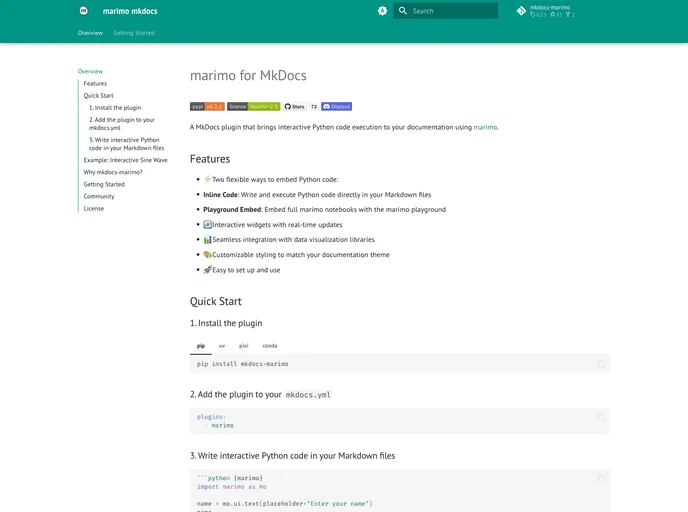

mkdocs plugin for reactive and interactive docs with marimo
Overview:
The MkDocs Marimo Plugin is a powerful tool for integrating interactive marimo notebooks directly into your MkDocs documentation. As it is still under active development, users can expect an ongoing evolution of features and enhancements that promise to elevate their documentation experience. This plugin is especially useful for those looking to include reactive and interactive Python blocks in their markdown files, creating a more engaging interface for readers and developers alike.
With the Marimo Plugin, you can seamlessly embed code blocks and utilize the marimo playground, enriching your documentation with live, interactive elements. Whether you're creating examples, tutorials, or demonstrations, this plugin equips you with the necessary tools to showcase your work dynamically.
Features:
- Interactive Embedding: Easily insert marimo notebooks into your documentation, allowing users to interact with Python code directly.
- Customizable Embedding Options: Choose from various height sizes (small to xxlarge) and modes (read or edit) to tailor the integration to your needs.
- Marimo Playground Integration: Quickly embed the marimo playground, enhancing the user experience with ready-to-use interactive elements in iframes.
- Dynamic Code Blocks: Create reactive Python blocks using code fences, making it simple to present complex computations or data visualizations.
- Direct File Embedding: Embed specific marimo files directly, with options for displaying the source code for added educational value.
- User-Friendly Documentation: Comprehensive guides and examples are available to help users maximize the potential of the plugin.
- Active Community Contributions: Users are encouraged to contribute to the development of the plugin, fostering an environment of collaboration and innovation.
- MkDocs
MkDocs is a fast, simple and downright gorgeous static site generator that's geared towards building project documentation. Documentation source files are written in Markdown, and configured with a single YAML configuration file.