
Windows Terminal Theme Generator
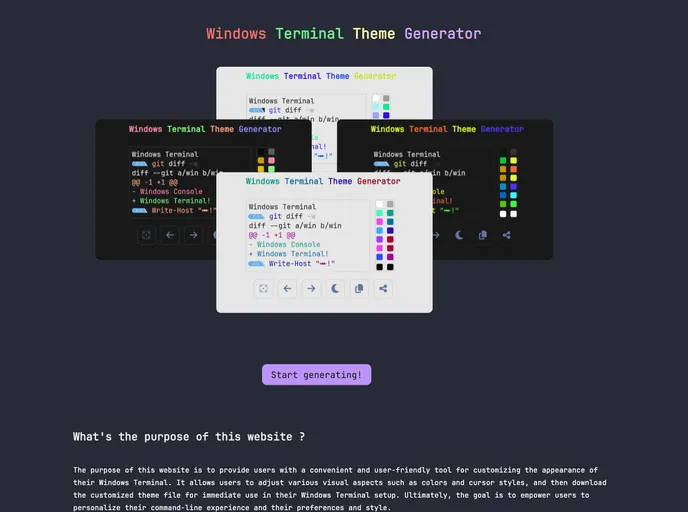

Blazingly Fast Windows Terminal Theme Generator
Overview
If you're looking to enhance your Windows Terminal experience, exploring custom color schemes can be a game-changer. With the revolution of design tools, you can now easily create and preview your favorite color combinations, ensuring a visually appealing workspace that reflects your personality. This tool leverages WebAssembly technology, making the process of generating beautiful themes both efficient and enjoyable.
From the ability to quickly generate themes to importing your own color schemes, you can curate a unique display that fits your style. Let's dive into the key features that make this tool stand out in customizing Windows Terminal.
Features
-
Custom Color Schemes: Generate beautiful color themes quickly with a smart algorithm, ensuring you always have a stunning output that suits your preferences.
-
Preview Functionality: Instantly see how your chosen theme will look, making it easier to perfect your setup before finalizing any decisions.
-
Easy to Use: User-friendly interface designed for optimal experience means you can create or switch themes without any hassle.
-
Export/Import Themes: Easily import your themes to see how they blend with other color patterns, or export them for sharing with the community.
-
Fast Installation: Setup is straightforward and efficient with automated scripts to streamline the process.
Exploring these features, you’ll find that setting up your Windows Terminal with a unique style has never been easier.
- SCSS
SCSS is a preprocessor scripting language that extends the capabilities of CSS by adding features such as variables, nesting, and mixins. It allows developers to write more efficient and maintainable CSS code, and helps to streamline the development process by reducing repetition and increasing reusability.