Krispediadot.github.io
Sujin's Dev Blog
Overview:
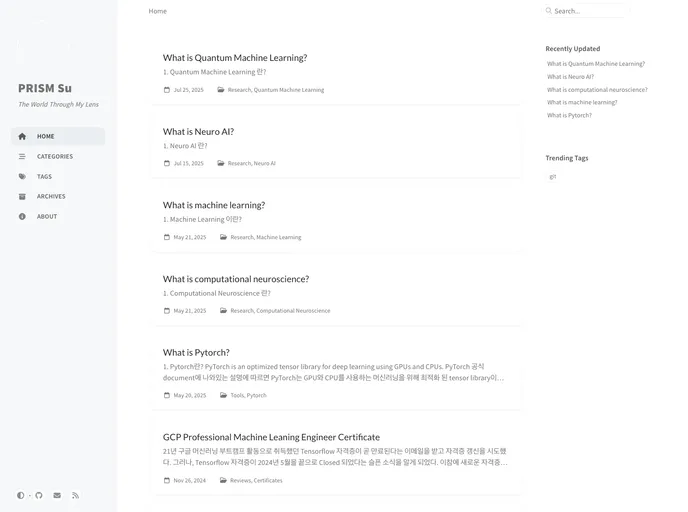
This article discusses the features and installation process of the Git Pages based on the Klisé theme. The main purpose of this theme is to provide a user-friendly and customizable platform for creating websites. It offers various features such as a left side menu bar, two-level categorization, a table of contents sidebar, comment integration using utteranc.es, light/dark mode, and a to-do list. The article also highlights some desired enhancements and adjustments to the theme.
Features:
- Left Side Menu Bar: Provides easy navigation and access to different sections of the website.
- Two-level Categorization: Allows organizing content into categories and subcategories for better organization.
- Table of Contents Sidebar: Provides a handy table of contents for quick navigation within a page.
- Comment Integration using utteranc.es: Enables comments on blog posts or other sections using the utteranc.es commenting system.
- Light/Dark Mode: Offers a choice between light and dark color palettes for a personalized viewing experience.
- Todo List: Keeps track of tasks and helps manage progress with a customizable to-do list.
Summary:
The Git Pages based on the Klisé theme offers a range of features to create a visually appealing and easily navigable website. With its left-side menu bar, two-level categorization, and table of contents sidebar, it provides a seamless and organized browsing experience. The theme also includes comment integration, allowing users to engage with the content. Additionally, the light/dark mode and customizable to-do list enhance the overall user experience. By following the installation steps, users can easily set up and deploy their own fully customized Git Pages website using the Klisé theme.