
Laravel Cms Starter
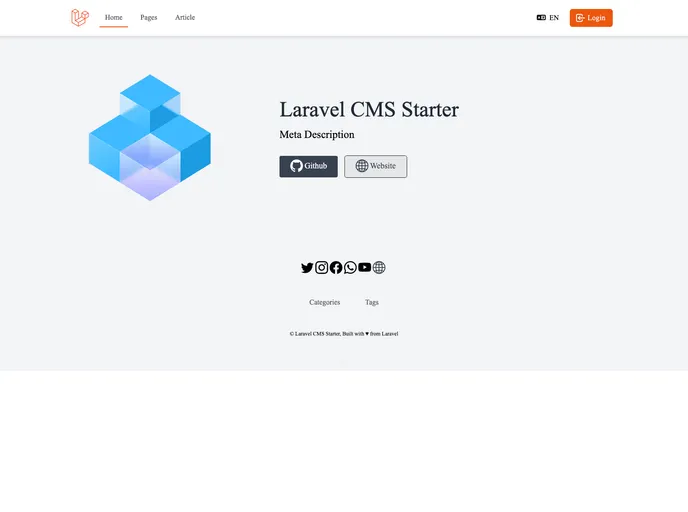




A modular starter application project built with Laravel 10.x.
Overview
CMS-laravel-starter is a modular CMS starter application built with Laravel 10.x. It is a simple starter CMS that provides commonly needed features such as user authentication, user and role management, dynamic menu system, language switcher, and more. It is modular, allowing users to build their own modules and use them in any Laravel Starter based projects.
Features
- User authentication
- User profile with avatar
- Role-permissions for users
- Dynamic menu system
- Language switcher
- Localization enabled across the project
- Backend theme with Bootstrap 5 and CoreUI
- Frontend theme with Tailwind and Fontawesome 6
- Modules for pages, articles, posts, categories, tags, comments, and more
- WYSIWYG editor
- File browser
- Application settings
- External libraries including Bootstrap 5, Fontawesome 6, CoreUI, Tailwind, Datatables, Select2, Date Time Picker
- Backup functionality to create zip files of source code, files, and database
- Log viewer
- Notification system
- Dashboard and details view
Web UI Installation
- Clone or download the repository.
- Go to the project directory and run
composer install. - Visit http://your-site.domain/install in your web browser.
- Follow the setup wizard to check server requirements, set database information, migrate the database, and seed the tables.
Classic Installation
- Clone or download the repository.
- Go to the project directory and run
composer install. - Create a
.envfile by copying the.env.examplefile. - Update the database name and credentials in the
.envfile. - Generate an application key by running the command
php artisan key:generate. - Run the command
php artisan migrate --seedto migrate the database and seed the tables. - Create a symbolic link for the storage directory by running the command
php artisan storage:link. - You may create a virtualhost entry to access the application or run
php artisan servefrom the project root and visit http://127.0.0.1:8000.
Docker and Laravel Sail
- Clone or download the repository.
- Go to the project directory and run
composer install. - Create a
.envfile by copying the.env-sailfile. - Update the database name and credentials in the
.envfile. - Follow the Docker and Sail documentation to set up and run the project using Docker.
Summary
CMS-laravel-starter is a modular CMS starter application built with Laravel 10.x. It provides commonly needed features for a CMS including user authentication, user and role management, dynamic menus, localization, and more. It offers installation options through a web UI, classic installation steps, and Docker integration. With its modular structure, users can build their own modules and extend the functionality of the base CMS.
- Laravel
Laravel is a powerful and elegant PHP framework that provides developers with a comprehensive set of tools and features to build robust web applications. It follows the Model-View-Controller (MVC) architectural pattern, offering a clean and organized structure for writing efficient and maintainable code.
- Vite
Vite is a build tool that aims to provide a faster and leaner development experience for modern web projects
- SCSS
SCSS is a preprocessor scripting language that extends the capabilities of CSS by adding features such as variables, nesting, and mixins. It allows developers to write more efficient and maintainable CSS code, and helps to streamline the development process by reducing repetition and increasing reusability.
- Alpine.js
Alpine.js is a lightweight JavaScript framework that simplifies the process of creating dynamic, reactive user interfaces on the web. It uses a declarative syntax that offers a higher level of abstraction compared to vanilla JavaScript, while being more performant and easier to use than jQuery.