FrontMentor Huddle LandingPage
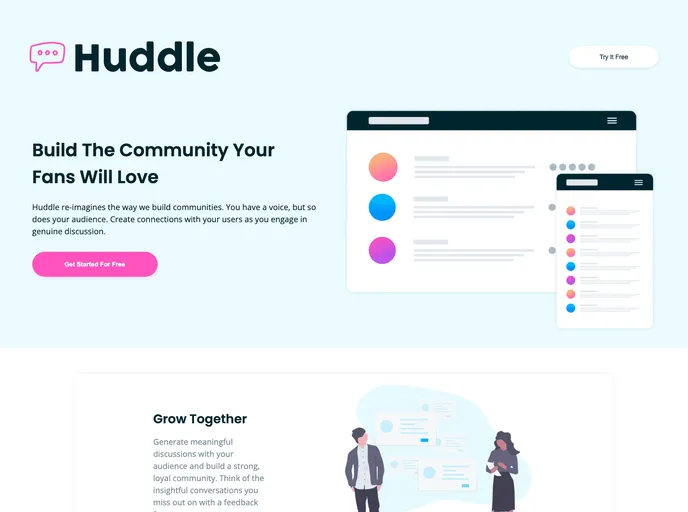
FrontendMentor Challenge in which the aim is to practice the layout and styling them by designing a landing page.
Overview
This product analysis is about the solution for the Huddle landing page with alternating feature blocks challenge on Frontend Mentor. The challenge is to create a responsive landing page with alternating feature blocks and hover states for interactive elements.
Features
- Optimal layout: The site adjusts its layout based on the user's device screen size.
- Hover states: Interactive elements on the page have hover states.
- Semantic HTML5 markup: The page is built using semantic HTML5 markup for better accessibility and structure.
- CSS custom properties: Custom properties in CSS are used for easier management and flexibility.
- CSS Flexbox: Flexbox is utilized for creating the layout and positioning elements.
- Mobile-first workflow: The design and development process follows a mobile-first approach for responsive design.
- Sass: The styles are written in Sass for easier maintenance and organized coding.
- Icons8.com: This resource helped in finding icons that were not available in the provided resources folder by Frontend Mentor.
Summary
This solution for the Huddle landing page with alternating feature blocks challenge on Frontend Mentor provides a responsive layout, hover states for interactive elements, and follows best practices such as semantic HTML5 markup and CSS Flexbox. It also utilizes Sass for styles and custom properties for easier management. Overall, it is a well-developed solution that demonstrates good coding skills and attention to detail.