
Jekyll Tailwindcss
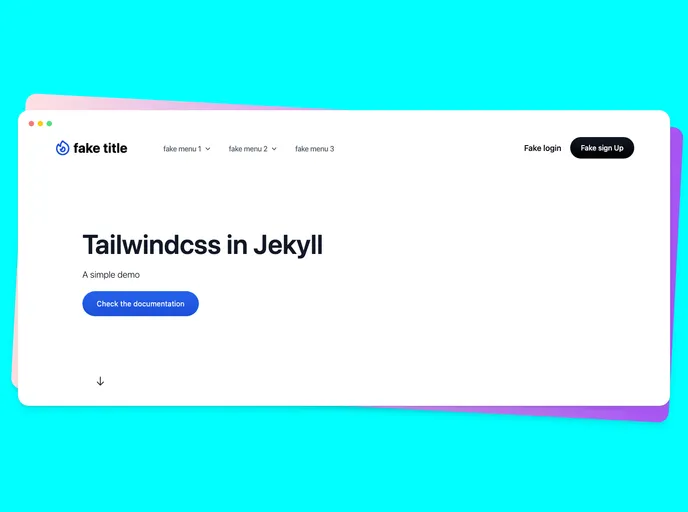


A simple demo of Tailwindcss in Jekyll
Overview
If you are looking to enhance your Jekyll projects with a modern and responsive design, integrating Tailwind CSS is a fantastic choice. This combination allows for easy customization while harnessing the utility-first CSS framework that Tailwind is known for. With simple setup steps and a plethora of design options, you can create visually appealing websites that are also functional.
Features
- Easy Setup: Quickly get started by cloning the repository and installing the necessary dependencies with a few command-line inputs.
- Modern Design: Leverage the power of Tailwind CSS 3++ to create sleek, appealing layouts that adapt seamlessly to any screen size.
- Sass Integration: Utilize Sass alongside Tailwind for advanced styling capabilities, making your project more maintainable and scalable.
- Local Development: The built-in command allows you to run a local server effectively, enabling immediate previews of your changes as you build.
- Comprehensive Documentation: Access detailed documentation to guide you through the installation process and feature utilization, ensuring a smooth experience.
- Community Components: Use pre-designed components from Tailwind Components to quickly implement stylish elements without having to design from scratch.
- Node.js Compatibility: Ensure compatibility with Node.js version 14, which is supported for deploying your Jekyll sites seamlessly.
- Jekyll
Jekyll is a static site generator written in Ruby that allows you to create simple, fast, and secure websites without the need for a database.
- Tailwind
Tailwind CSS is a utility-first CSS framework that provides pre-defined classes for building responsive and customizable user interfaces.
- Postcss

PostCSS is a popular open-source tool that enables web developers to transform CSS styles with JavaScript plugins. It allows for efficient processing of CSS styles, from applying vendor prefixes to improving browser compatibility, ultimately resulting in cleaner, faster, and more maintainable code.