
Jamstack Intro
Overview:
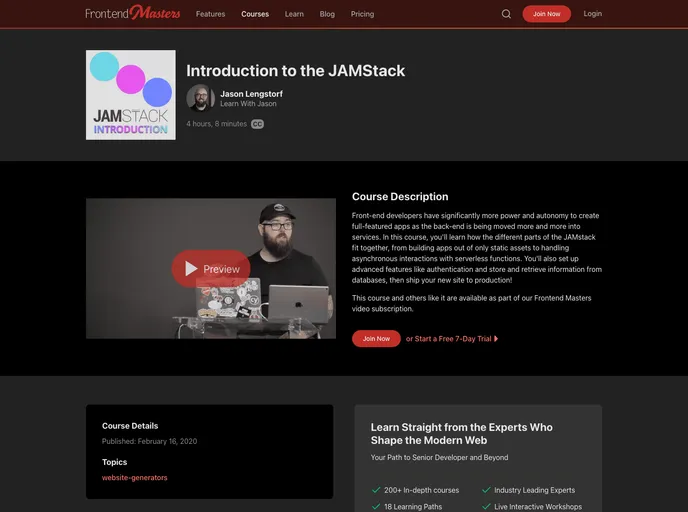
The article is a workshop tutorial on the JAMstack, explaining what it is, its capabilities, and how to use it to build full-featured apps with less complexity and overhead. The tutorial is divided into several sections, each covering a specific aspect of building a JAMstack site and deploying it. The sections include creating a basic JAMstack site, deploying the site using Netlify, using serverless functions, processing form submissions, creating a password-protected dashboard, and creating a database-backed todo app using Fauna.
Features:
- Create a Basic JAMstack Site
- Deploy a JAMstack Site
- Serverless Functions
- Process a Form Submission
- Create a Password-Protected Dashboard
- Create a DB-Backed Todo App
Section 1: Create a Basic JAMstack Site
- Create an index.html file with a heading and a content area.
- Use
npx serveto load the site during development. - Create a styles.css file with basic styles.
- Create a main.js file that loads repositories from GitHub.
- Add a link and a script element to index.html.
Section 2: Deploy a JAMstack Site
- Set up Netlify CLI with the command
yarn global add netlify-cli. - Create a GitHub repository using Hub.
- Create a Netlify site connected to the GitHub repository with the command
netlify init. - Push the code to the GitHub repository with the following commands:
git add -A,git commit -m 'message',git push --set-upstream origin master. - See the deploy with the command
netlify open. - Push a change as a Pull Request (PR) with Hub.
- Check out a new branch with the command
git checkout -b feature-idea. - Make a change (e.g., add a body background color).
- Add and commit the change with the command
git commit -am 'feat: update background color'. - Push the changes to the feature branch with the command
git push origin feature-idea. - Open a pull request with Hub using the command
git pull-request. - See the deploy as a preview.
- Compare the live site vs. the deploy preview.
- Merge the pull request to make the deploy go live.
Section 3: Serverless Functions
- Learn about serverless functions and other providers.
- Use Netlify for serverless functions as it requires minimal setup and configuration.
- Create a "hello world" function.
- Use Netlify Dev to run the function locally on port 8888.
- Learn about redirects to change the URL.
- Deploy the function and see it working live.
Section 4: Process a Form Submission
- Create an accessible form using React/CSS Modules.
- Use a reducer hook to manage form state.
- Handle idle, sending, and sent states for the form.
- Create a serverless function.
- Get credentials from Mailgun (sandbox).
- Use the serverless function to send email from the form.
Section 5: Create a Password-Protected Dashboard
- Add a home page and a dashboard page.
- Set up client-only routes in Gatsby.
- Use matchPath in gatsby-node.js.
- Create components to show at different sub-routes (e.g., /dashboard/login).
- Add a redirect for Netlify.
- Deploy the site to Netlify.
- Add authentication with Netlify Dev (runs on port 8888).
- Create necessary components and dependencies using yarn.
- Create a Layout component that wraps everything with the provider.
- Add the Identity modal to the dashboard page.
- Add a Profile component to show whether or not the user is logged in.
- Add navigation for the dashboard.
- Create a PrivateRoute component to redirect to the login screen if not logged in.
- Update the Dashboard component to use private routes.
- Deploy the updated site.
- Sign up for an account.
- Bounce to the login screen when accessing protected routes while logged out.
Section 6: Create a DB-Backed Todo App
- Create a Fauna account.
- Write a GraphQL schema for todos.
- Create a new Fauna DB.
- Set up collections and indexes in Fauna.
- Create functions to interact with the database.
- Implement CRUD operations for todos.
- Use the functions in the React app to display and manage todos.
Summary:
The article is a comprehensive tutorial on building a JAMstack site and deploying it using Netlify. It covers various topics such as creating a basic site, using serverless functions, processing form submissions, creating a password-protected dashboard, and creating a database-backed todo app. The tutorial provides step-by-step instructions and code snippets for each section, making it easy to follow along and implement the concepts. Overall, it is a great resource for anyone looking to learn and use the JAMstack for building web applications.