
Obsidian_published
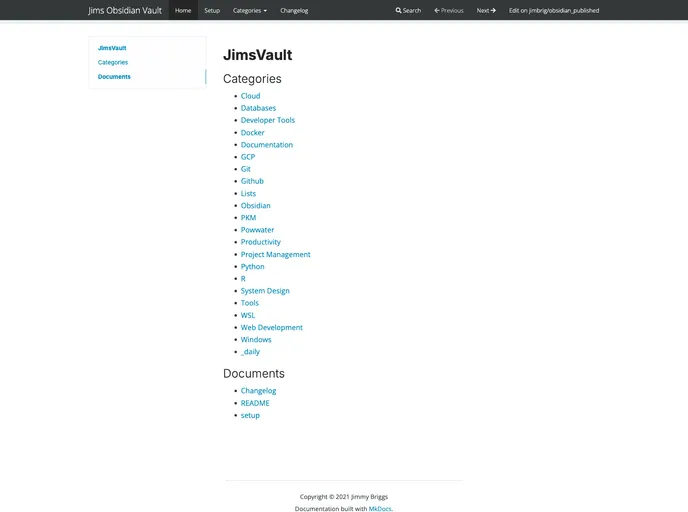

Using mkdocs to publish my obsidian vault. Main repo for the vault is https://github.com/jimbrig/obsidian_vault
Overview
If you're looking for a way to effortlessly share your Obsidian notes online, the template for publishing notes using MkDocs is an excellent solution. This setup allows users to create a visually appealing website that features a Material theme, complete with a search function and the flexibility to toggle between light and dark mode. Whether you want to share your notes for educational purposes, collaboration, or personal projects, this template makes the process straightforward and user-friendly.
Setting it up involves creating a GitHub repository from the template, moving your desired notes into the designated folder, and letting Github actions do the rest. The end result is a professional-looking website that makes navigating through your notes easy and a pleasurable experience.
Features
- Material Theme: An attractive design with responsive layouts and a modern look, ensuring your notes are visually appealing.
- Search Functionality: Built-in search bar allows users to quickly locate specific notes or topics, enhancing navigation.
- Wikilinks Support: Retain the Obsidian/Roam style
[[wikilinks]]in your published notes, making connections between ideas clear and engaging. - Light/Dark Mode Toggle: Users can easily switch between light and dark themes, accommodating different viewing preferences and environments.
- Custom Page Navigation: The nav option in the mkdocs.yml configuration allows for personalized organization of sections and pages beyond the default folder structure.
- Easy Setup: Simply clone the provided template repository and move your notes; the process minimizes technical hurdles for ease of use.
- GitHub Pages Integration: Automatically publish your notes on GitHub Pages, enabling immediate access after pushing changes.
- Navigation Options: The Materials theme provides features like navigation tabs, which can help organize content as your number of notes grows.
- MkDocs
MkDocs is a fast, simple and downright gorgeous static site generator that's geared towards building project documentation. Documentation source files are written in Markdown, and configured with a single YAML configuration file.