
Angular2 Materialize
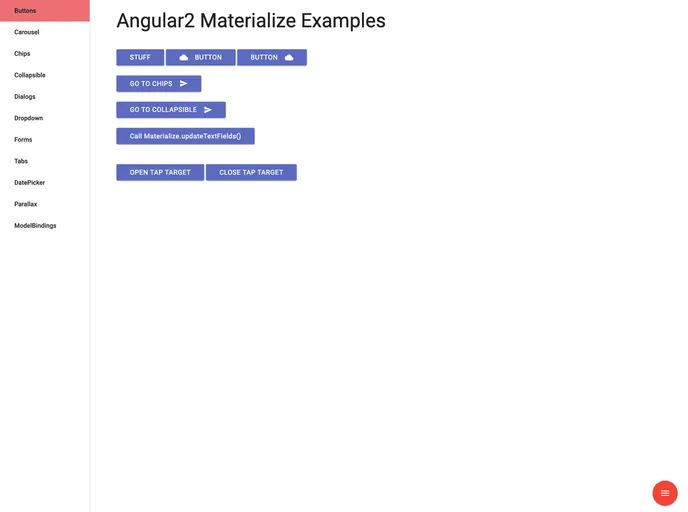

Angular 2 support for Materialize CSS framework.
Overview
The integration of Angular 2 with the Materialize CSS framework through the angular2-materialize library is an exciting development for developers looking to enhance their web applications with dynamic and responsive design components. This library provides the necessary bindings and directives to implement various Materialize features seamlessly within Angular 2, making it easier to create rich user interfaces without a deep dive into JavaScript.
By offering a well-structured approach to using Materialize CSS, angular2-materialize simplifies the process of incorporating dynamic behaviors into your Angular components. With its straightforward setup and extensive features, it stands out as a valuable tool for anyone looking to leverage the sleek aesthetics and functionality of Materialize CSS in their Angular applications.
Features
-
Dynamic Behavior: The library allows developers to easily bind Materialize CSS elements to Angular components, enabling interactive features like collapsible panels and tooltips.
-
MaterializeDirective: Use this directive to apply dynamic behaviors to any Angular component, making it easy to work with a variety of Materialize functions such as modals and dropdowns.
-
Custom Parameters: The MaterializeDirective supports parameters via the
materializeParamsattribute, allowing for tailored initialization of components directly from the HTML. -
Event Emission: Utilize
materializeActionsto emit actions for triggering Materialize functionalities, such as closing modals or showing toast notifications. -
Easy Installation: Integrating angular2-materialize is straightforward, with clear instructions for both Angular CLI and webpack configurations, making it accessible for developers of all levels.
-
Comprehensive Documentation: The library is well-documented, providing guidance on installation, setup, and available features to enhance user experience with Angular and Materialize CSS.
-
Responsive Design Support: Built upon the Materialize framework, the library ensures that applications maintain a modern, responsive look and feel, compatible with various screen sizes and devices.
-
Compatibility with Angular Tools: The library seamlessly works with Angular CLI and webpack, ensuring smooth integration into existing projects and workflows.
- Angular
Angular is a TypeScript-based open-source framework by Google for building dynamic single-page applications and cross-platform mobile apps with MVC architecture and a rich set of features.
- Gulp

Gulp.js is an old but popular site building tool that automates various repetitive development tasks in web development, such as compiling Sass, minifying JavaScript, and optimizing images.
- Rollup

RollupJS is a popular and efficient JavaScript module bundler that takes the code from multiple modules and packages them into a single optimized file, minimizing the overall size of the application and improving its performance.
- Typescript

TypeScript is a superset of JavaScript, providing optional static typing, classes, interfaces, and other features that help developers write more maintainable and scalable code. TypeScript's static typing system can catch errors at compile-time, making it easier to build and maintain large applications.
- Webpack

Webpack is a popular open-source module bundler for JavaScript applications that bundles and optimizes the code and its dependencies for production-ready deployment. It can also be used to transform other types of assets such as CSS, images, and fonts.