
Expenses Chart Component
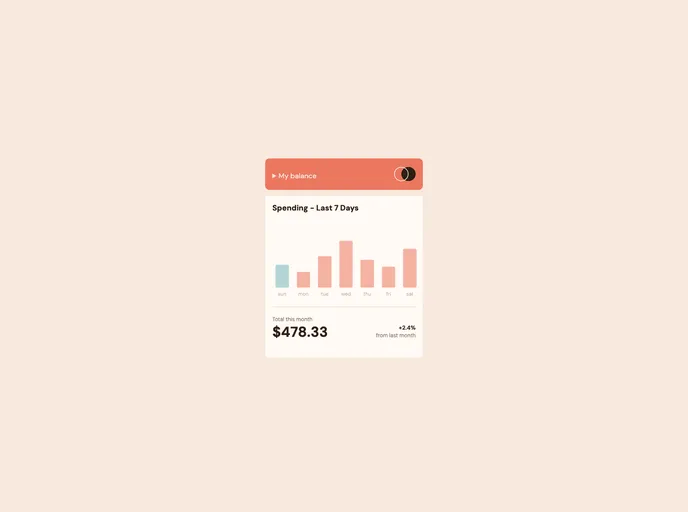
A chart component that helps you keep track of your monthly and annual expenses. Built with HTML, CSS and JavaScript
Overview
The Expenses chart component is an impressive solution designed to provide users with a visual representation of their spending habits through a bar chart. This component not only showcases data gracefully but also allows for an interactive experience, enabling users to hover over individual bars to view daily spending amounts. With the capability to highlight the current day’s spending, it effectively makes tracking expenses more intuitive and user-friendly.
As users interact with various elements, such as resizing based on devices or hovering over the bars, the component's design shines through. By combining modern web technologies and practices, it effortlessly adapts to different screen sizes, ensuring that all users receive an optimal viewing experience regardless of their device.
Features
- Interactive Bar Chart: Users can hover over individual bars to reveal the exact spending amounts for each day, making tracking expenses straightforward and visually appealing.
- Current Day Highlighting: The bar representing the current day is displayed in a different color, clearly distinguishing it from other days for immediate recognition.
- Responsive Design: The layout adjusts seamlessly according to the user's device screen size, providing a consistent experience across all platforms.
- Hover States: All interactive elements feature hover states, enhancing user interaction and making the interface more engaging.
- Dynamic Bar Sizing: Integrates with a JSON data file to accurately reflect spending amounts, ensuring that the chart scales appropriately based on data input.
- Mobile-First Workflow: Designed with a focus on mobile usability, ensuring optimal performance and aesthetics on mobile devices before scaling up to larger screens.
- Modern CSS Techniques: Utilizes CSS Grid and Flexbox for layout management, promoting efficient design and structure for the component.
- Fixed Positioning Knowledge: The implementation takes advantage of fixed positioning to keep important elements in view while scrolling, enhancing user accessibility.