
Igniteui Angular Samples
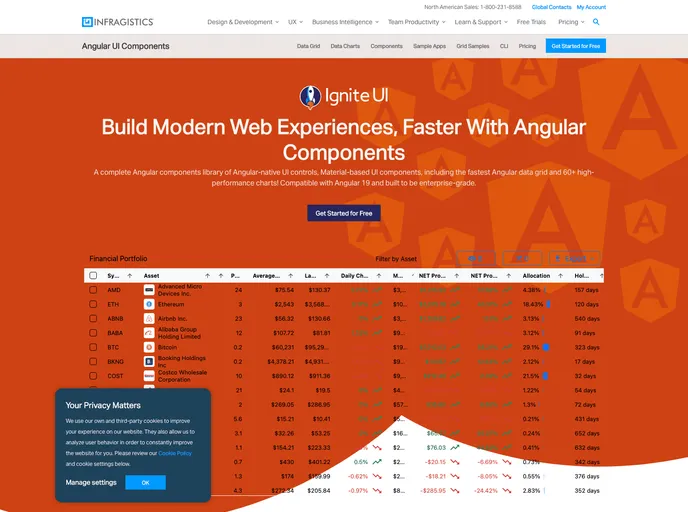




Ignite UI for Angular demos for all available components and features
Overview
The Ignite UI for Angular Samples project offers an incredibly versatile framework for developers looking to harness the power of Ignite UI components within Angular applications. This comprehensive project serves as a demonstration of various Ignite UI components across different scenarios, making it an invaluable resource for anyone working with Angular. The structure is neatly divided into two applications; one that demonstrates a default application showcasing all components, and another for a Line of Business application that incorporates both charts and Excel capabilities.
This project not only supports modern development practices but also facilitates live editing environments, greatly enhancing productivity and learning for developers. Furthermore, its integration with the DocFX Site Builder ensures that documentation and samples work hand-in-hand, providing a seamless experience for users.
Features
-
Component Variety: Demonstrates a wide array of Ignite UI components, allowing developers to see practical applications and usage scenarios.
-
Default and Line of Business Apps: Offers two separate applications to cater to different user needs – one for general use and one targeting specific business functionalities.
-
Development Server: Easily start a dev server for both applications, with commands tailored for modern browsers and live editing support.
-
Live Editing Capabilities: Live-editing functionality allows developers to see changes in real-time, which is essential for rapid development and iterative design processes.
-
Configurators for Components: Each Ignite UI component comes with its own configuration generator, simplifying the customization and setup process.
-
Integration with DocFX: Enables the embedding of live samples within the DocFX Site Builder, enhancing the documentation with hands-on examples.
-
Sass and CSS Support: Offers flexibility in styling, allowing developers to choose between Sass and CSS for their projects.
-
Watch Commands: Provides the ability to regenerate live editing JSON files on the fly, making it easier to test and see changes immediately.
- Angular
Angular is a TypeScript-based open-source framework by Google for building dynamic single-page applications and cross-platform mobile apps with MVC architecture and a rich set of features.
- Express
Express.js is a simple Node.js framework for single, multi-page, and hybrid web applications.
- Bootstrap
Bootstrap is the most popular CSS Framework for developing responsive and mobile-first websites.
- Tailwind
Tailwind CSS is a utility-first CSS framework that provides pre-defined classes for building responsive and customizable user interfaces.
- Eslint

ESLint is a linter for JavaScript that analyzes code to detect and report on potential problems and errors, as well as enforce consistent code style and best practices, helping developers to write cleaner, more maintainable code.
- Gulp

Gulp.js is an old but popular site building tool that automates various repetitive development tasks in web development, such as compiling Sass, minifying JavaScript, and optimizing images.
- Postcss

PostCSS is a popular open-source tool that enables web developers to transform CSS styles with JavaScript plugins. It allows for efficient processing of CSS styles, from applying vendor prefixes to improving browser compatibility, ultimately resulting in cleaner, faster, and more maintainable code.
- Typescript

TypeScript is a superset of JavaScript, providing optional static typing, classes, interfaces, and other features that help developers write more maintainable and scalable code. TypeScript's static typing system can catch errors at compile-time, making it easier to build and maintain large applications.