
Timeago React
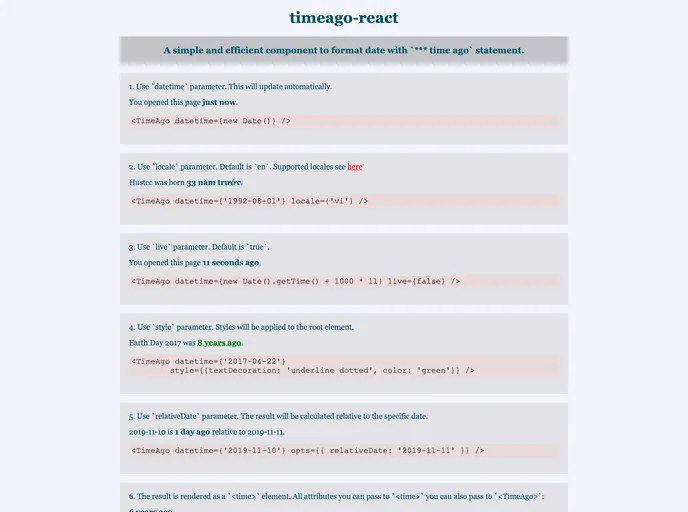
:clock8: Simple and efficient react component to format date with `*** time ago` statement. eg: '3 hours ago'.
Overview
timeago-react is an incredibly handy React component designed to provide users with a quick and intuitive way to display timestamps as time-ago statements, like "3 hours ago". Powered by timeago.js, it offers a seamless experience for developers looking to enhance user interfaces with real-time date formatting. With a lightweight footprint of just 2kb, it's perfect for keeping your application fast while maintaining efficiency.
Not only does it support various types of datetime inputs, but it also offers customization options to suit different locale requirements. Whether you're displaying recent updates or timestamps in different languages, timeago-react has you covered with its straightforward implementation and minimal resource use.
Features
-
Lightweight: At only 2kb, this component is designed to minimize the load on your application without sacrificing performance.
-
Automatic Updates: The component features a real-time update mechanism, re-rendering the time ago statements dynamically as time progresses.
-
Multiple Locales Supported: It allows for localization, so you can configure the component to display times in the preferred language of your audience.
-
Customizable Styling: With options to add custom class names and styles, you can easily integrate the component into your app's design.
-
Flexible Input Types: Accepts various datetime formats, including strings, Date instances, and timestamps, providing flexibility for developers.
-
Min Interval Configuration: You can set a minimum update interval to optimize performance and control how often the component refreshes.
-
Ease of Use: Simple props and clean integration make it straightforward to implement in any React application, enhancing usability without a steep learning curve.
-
MIT Licensed: Freely available for personal or commercial use, giving developers peace of mind while using this tool in their projects.