Raspberry Pi Dashboard
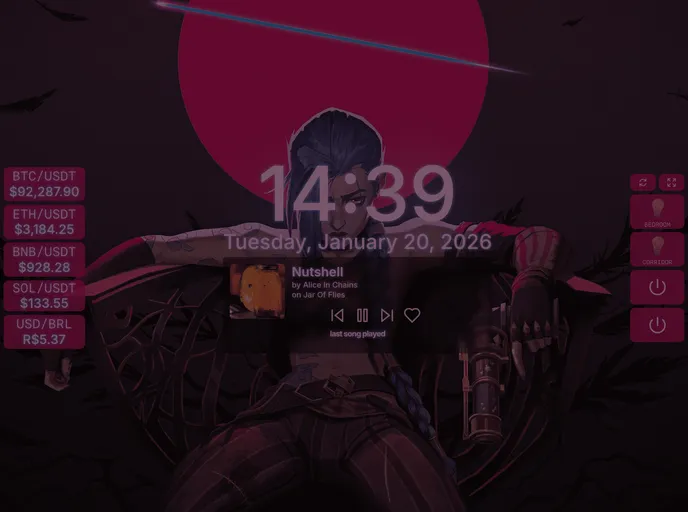
https://pi.gus.sh → My Raspberry Pi dashboard to show some usefull infos and manage my IOT devices (still in development)
Overview:
This article provides an introduction to a Next.js project that has been bootstrapped with create-next-app. It explains the process of getting started with the project and provides information on how to run the development server. It also mentions the use of next/font to optimize and load a custom Google Font.
Features:
- Next.js project: The project is built using Next.js, which is a popular JavaScript framework for building server-side rendered applications.
- Create-next-app: The project has been bootstrapped using create-next-app, which is a command-line tool for creating Next.js applications with a pre-configured setup.
- Development server: The article provides instructions on how to run the development server, which allows developers to preview their changes and see the result in the browser.
- Automatic page updates: The page auto-updates whenever changes are made to the app/page.tsx file, providing a seamless development experience.
- next/font optimization: The project uses next/font to automatically optimize and load Inter, which is a custom Google Font.
Summary:
This article provides an introduction to a Next.js project that has been bootstrapped with create-next-app. It explains the process of getting started with the project, including installation and running the development server. It also highlights some key features of the project, such as automatic page updates and the use of next/font for font optimization. Overall, the article serves as a helpful guide for developers looking to start a Next.js project.