
Web Hv
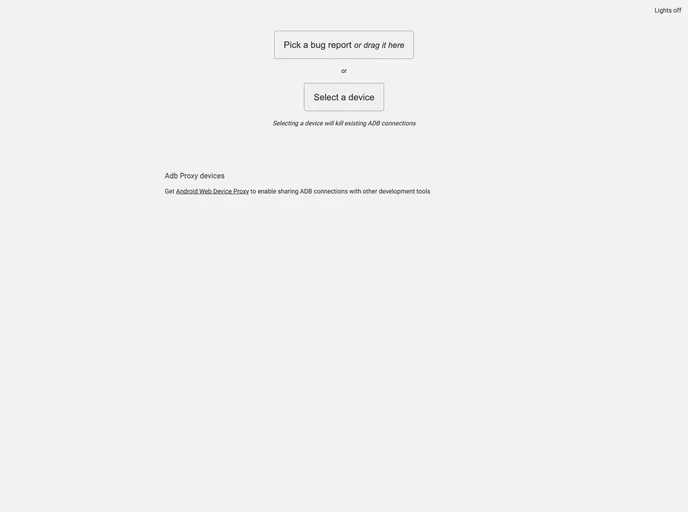
A web based tool for inspecting UI of an in-development android app
Overview
Web Hierarchy Viewer is an innovative web-based tool designed for developers who are working on Android applications. It serves as a platform for inspecting the user interface (UI) of apps that are still in development, allowing for greater control and visibility during the debugging process. This tool leverages HTML5 and JavaScript APIs, ensuring that it operates seamlessly without requiring any server-side components.
One of the standout features of the Web Hierarchy Viewer is its ability to provide real-time insights into app UIs. Developers can easily run commands on view nodes and modify properties dynamically, streamlining the debugging process. This tool is incredibly useful for anyone aiming to enhance their app’s user experience before its official release.
Features
-
Inspect UI of Running Apps: Offers an efficient way to debug apps in real-time and analyze their user interfaces.
-
Run Commands on View Nodes: Allows developers to execute commands directly on view nodes, helping to alter and test different properties instantly.
-
Change Properties at Runtime: Provides the capability to modify element properties on the fly, enabling faster iterations in the development cycle.
-
Save Hierarchy to Disk: Users can save UI hierarchies for offline viewing and sharing, making collaboration easier with team members.
-
No Server-Side Component: Built entirely with client-side technologies (HTML5/JavaScript), eliminating the need for any server support.
-
Lightweight and Easy to Launch: Requires minimal setup; simply check out the code and start a local web server to get going.
-
Contributions Welcome: The tool encourages community collaboration, with clear guidelines for developers interested in submitting patches or improvements.