
Jamstack Ecommerce Example
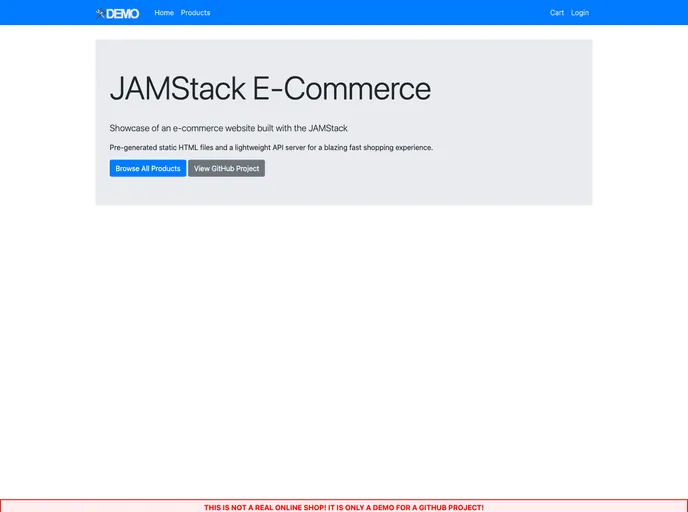




Showcase of an e-commerce website built with the JAMStack
Overview:
The JAMStack E-Commerce Example is a showcase of an e-commerce website built using the JAMStack architecture. It utilizes Nuxt.js as the web application framework and Salesforce as the data storage for products, orders, and user authentication. This example demonstrates key features such as pre-generated static HTML files, pre-fetched product content, authentication via Salesforce, individual user content, client-side shopping cart, order transmission to Salesforce, and delegated logout via Salesforce. The JAMStack architecture allows for easier development and deployment of new features and content.
Features:
- Pre-Generated Static HTML Files: All pages of the website, including product detail pages, are pre-generated at build time and can be served by any web server or CDN.
- Pre-Fetched Product Content: Product content is pre-fetched from Salesforce using a Node.js script and stored locally as JSON files, improving performance and reducing reliance on the Salesforce REST API.
- Authentication via Salesforce: Visitors can authenticate with their Salesforce customer community user using the OpenID Connect protocol.
- Individual User Content: Authenticated visitors can view their own user profile, displaying their Account data from Salesforce. The content is fetched via a dedicated API server.
- Client-Side Shopping Cart: Items added to the shopping cart are stored client-side in the browser's local storage, allowing visitors to close the browser and restore their cart content upon returning.
- Order Transmission to Salesforce: Authenticated visitors can place orders by sending their shopping cart to the API server, which converts the cart data into a proper Salesforce order and transmits the records via the Salesforce REST API.
- Delegated Logout via Salesforce: The website offers a delegated logout option, redirecting visitors to a special logout page in the Lightning Community for seamless logout from Salesforce.
Prerequisites:
- Ensure you have Nuxt.js and Salesforce accounts set up.
Setting Up Salesforce:
- Set up the required Salesforce metadata.
- Configure the test user and profile in Salesforce.
- Install the Salesforce metadata by running the provided script.
Setting Up the Integration User:
- Set up the integration user in Salesforce.
- Grant necessary permissions to the integration user.
Setting Up the Lightning Community:
- Set up the Lightning Community in Salesforce.
- Configure the Connected App in Salesforce.
Running the Content Update Script:
- Execute the Node.js script to pre-fetch product content from Salesforce and store it locally as JSON files.
Running the API Server:
- Run the API server to handle requests and transmit orders to Salesforce.
Running the Web Application:
- Run the web application to showcase the JAMStack E-Commerce Example.
Summary:
The JAMStack E-Commerce Example demonstrates the power and benefits of building an e-commerce website using the JAMStack architecture, Nuxt.js, and Salesforce. It showcases key features such as pre-generated static HTML files, pre-fetched product content, authentication, individual user content, client-side shopping cart, order transmission to Salesforce, and delegated logout. By following the installation guide, developers can set up and explore this example to understand how to leverage the JAMStack architecture for their own e-commerce projects.
- Nuxt
nuxt.js is a lightweight and flexible JavaScript framework that allows developers to easily build dynamic and reactive user interfaces. Its intuitive syntax, modular architecture, and focus on performance make it a popular choice for modern web development.
- Vue
Vue.js is a lightweight and flexible JavaScript framework that allows developers to easily build dynamic and reactive user interfaces. Its intuitive syntax, modular architecture, and focus on performance make it a popular choice for modern web development.
- Bootstrap
Bootstrap is the most popular CSS Framework for developing responsive and mobile-first websites.
- SCSS
SCSS is a preprocessor scripting language that extends the capabilities of CSS by adding features such as variables, nesting, and mixins. It allows developers to write more efficient and maintainable CSS code, and helps to streamline the development process by reducing repetition and increasing reusability.
- Ecommerce

Ecommerce websites sell products or services to customers through an online storefront. These websites typically include features such as product listings, shopping carts, payment processing, and order management tools.
- Templates & Themes

A template or theme refers to a pre-designed layout or structure that provides a basic framework for building a specific type of application or website. It typically includes good design, placeholder content and functional features, allowing developers to customize and fill in the details according to their specific needs.
- Eslint

ESLint is a linter for JavaScript that analyzes code to detect and report on potential problems and errors, as well as enforce consistent code style and best practices, helping developers to write cleaner, more maintainable code.
- Webpack

Webpack is a popular open-source module bundler for JavaScript applications that bundles and optimizes the code and its dependencies for production-ready deployment. It can also be used to transform other types of assets such as CSS, images, and fonts.