
Flotiq Docs
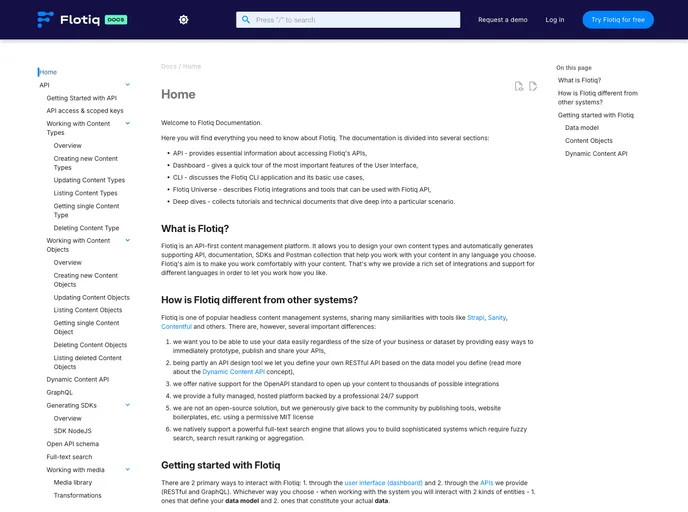

Flotiq Headless CMS documentation
Overview:
The Flotiq documentation is a resource that provides information about the Flotiq platform. It is continuously updated to ensure it remains current and user-friendly. Users are encouraged to contribute to the documentation by submitting pull requests. The installation process is explained for both docker and non-docker setups, with troubleshooting tips included. Collaboration is encouraged through Discord chat and bug reports can be submitted through the issues section.
Features:
- Continuously Updated: The documentation is regularly updated to keep it relevant and clear.
- Contribution: Users can contribute to the documentation by submitting pull requests.
- Installation with Docker: Docker installation is available using the command "docker-compose up -d".
- Installation without Docker: Non-docker installation requires Python and Git, and the server can be started using "mkdocs serve".
- Troubleshooting: Troubleshooting tips are provided, including instructions for handling errors related to the absence of Git.
- Collaboration: Users can engage with the Flotiq team through Discord chat for project discussions.
- Bug Reporting: Users are encouraged to report bugs through the issues section.
- Documentation Improvements: Users can contribute to the documentation by submitting improvements and fixes.
With Docker:
- Ensure that you have Docker installed on your system.
- Run the command
docker-compose up -dto start the Flotiq documentation server.
Without Docker:
- Ensure that you have Python and Git installed on your system.
- Start the server by running the command
mkdocs serve. - The documentation will be available at http://localhost:4000.
Troubleshooting:
If you encounter an error during the installation without Docker and Git is not present, follow these steps:
- Add the environment variable
GIT_PYTHON_GIT_EXECUTABLEwith the path to Git (e.g.,/usr/bin/git). - Add the environment variable
GIT_PYTHON_REFRESHwith the valuequietto suppress additional Git errors.
Summary:
The Flotiq documentation serves as a valuable resource for users of the Flotiq platform. It is regularly updated, and users are encouraged to contribute to its improvement. Installation guides are provided for both Docker and non-Docker setups, along with troubleshooting tips. Collaboration is encouraged through Discord chat, and bug reports can be submitted through the issues section.
- Flotiq
Flotiq CMS is a robust headless content management system that combines a user-friendly interface with powerful automatic content modeling capabilities
- Documentation

Documentation themes are built specifically for writing technical and product documentation. They are normally written and maintained in Markdown. The often include a navigation menu, search bar, clear headings, semantic document structure and clean typography.