ChatGPT Clone
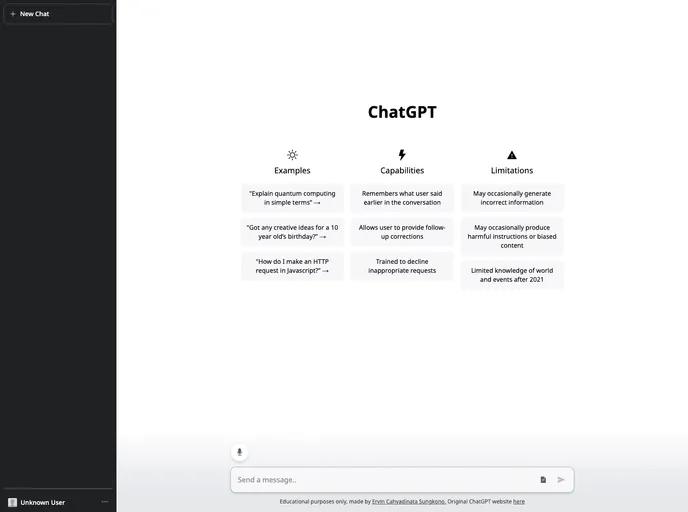
A clone of ChatGPT website, made using the ChatGPT API. Additional features like .txt or .pdf upload and speech recognition are also included.
Overview
The ChatGPT Clone Website is a replica of the original ChatGPT website, utilizing localStorage features instead of a database to store chat history. The main purpose of this project is for educational purposes.
Features
- Handling server sent events using ReadableStream: The website is capable of handling server sent events using the ReadableStream interface for efficient and real-time communication with the server.
- Light & Dark Theme: The website provides both light and dark themes, allowing users to choose their preferred display mode.
- Reading .txt file input: Users can upload and read .txt files directly on the website.
- Save chat history using localStorage: Instead of relying on a database, the website stores chat history locally using the browser's localStorage feature.
- Markdown support: The website supports markdown formatting for displaying text.
- Speech Recognition API: Version 1.1 offers integration with the Speech Recognition API, allowing users to convert voice input into chats.
- PDF to Text support: An upcoming feature will allow users to upload PDF files and convert them into text for reading and chat purposes.
- Copy text to clipboard: Users can easily copy text from the website to their clipboard with a simple click.
- Preview Image: The website provides a preview image feature, enabling users to see a preview of an image before sending it in a chat message.
Summary
The ChatGPT Clone Website is a project created for educational purposes. It replicates the functionality of the original ChatGPT website, but with a different approach to storing chat history using localStorage. The website supports various features such as server sent events, light and dark themes, file reading, markdown support, and more. With upcoming features like PDF to text conversion and clipboard text copying, the website aims to enhance the user experience and provide additional functionality.