
Eslint Plugin Angular
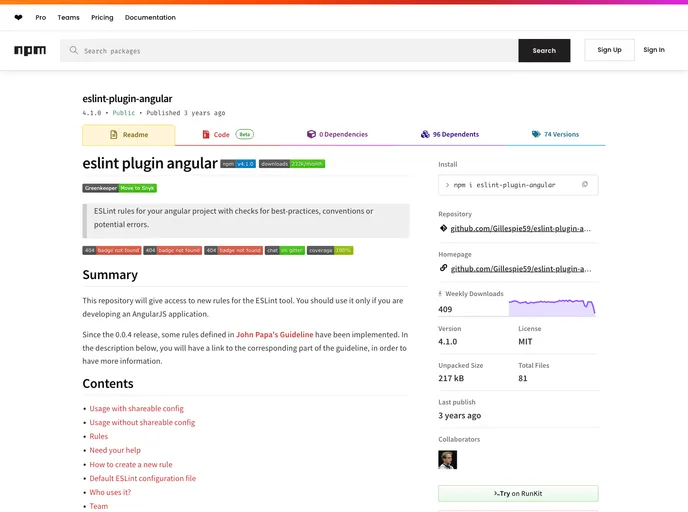
ESLint plugin for AngularJS applications
Overview
The ESLint plugin for Angular is a tool that provides ESLint rules specifically tailored for AngularJS applications. It offers checks for best practices, conventions, and potential errors in your codebase. This plugin aims to enhance the development process by enforcing guidelines outlined in John Papa's Guideline.
Features
- ESLint Rules for Angular Projects: Ensures code quality, best practices, and error prevention.
- Shareable Config: Ability to use a predefined set of rules for consistency across projects.
- Customizable: Rules can be configured and adjusted to suit project requirements.
- Continuous Updates: Regular updates and improvements to keep up with evolving best practices.
Usage with Shareable Config
- Install ESLint as a dev-dependency:
npm install eslint --save-dev - Install eslint-plugin-angular as a dev-dependency:
npm install eslint-plugin-angular --save-dev - Use the shareable config by adding it to your .eslintrc file.
Usage without Shareable Config
- Install ESLint as a dev-dependency:
npm install eslint --save-dev - Install eslint-plugin-angular as a dev-dependency:
npm install eslint-plugin-angular --save-dev - Enable the plugin by adding it to your .eslintrc file and configure the rules as needed.
Summary
The ESLint plugin for Angular is a valuable tool for AngularJS developers, offering a set of ESLint rules that promote best practices, prevent errors, and enforce coding conventions. By following the installation guides provided, developers can easily integrate this plugin into their projects and benefit from its code analysis capabilities.
- Eslint

ESLint is a linter for JavaScript that analyzes code to detect and report on potential problems and errors, as well as enforce consistent code style and best practices, helping developers to write cleaner, more maintainable code.