Drewdomi.com
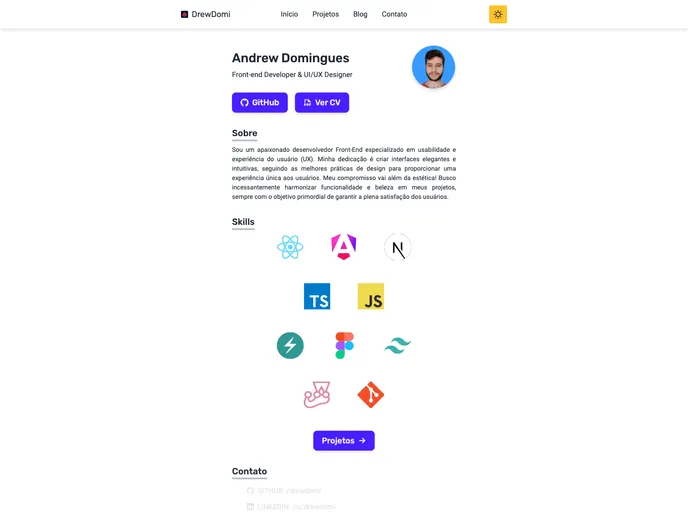
Personal website and portfolio of Drew Domi. Showcase as a developer.
Overview
The Astro Starter Kit is a tool that helps developers get started with building websites using the Astro framework. With Astro, developers can create static websites using a combination of Markdown, HTML, and popular frontend frameworks like React, Vue, Svelte, and Preact. This kit provides a basic project structure and commands to facilitate the development process.
Features
-
Project Structure: The Starter Kit includes a predefined project structure that consists of folders and files. The
src/pages/directory contains.astroor.mdfiles that are exposed as routes based on their file names. Thesrc/components/directory can be used to store Astro/React/Vue/Svelte/Preact components. Static assets, such as images, can be placed in thepublic/directory. -
Commands: The Starter Kit provides several commands that can be run from the project's root directory in a terminal. The
npm installcommand installs project dependencies. Thenpm run devcommand starts a local development server atlocalhost:4321. Thenpm run buildcommand builds the production site to the./dist/directory. Thenpm run previewcommand allows previewing the build locally before deploying. Thenpm run astro ...command can be used to run CLI commands such as adding modules or checking the Astro configuration. Thenpm run astro -- --helpcommand provides help using the Astro CLI. -
Documentation and Support: Developers can refer to the project's documentation for more information on how to use the Starter Kit and the Astro framework. Additionally, there is a Discord server available for support and community interaction.
Summary
The Astro Starter Kit provides developers with a structured starting point for creating websites using the Astro framework. It offers a predefined project structure, useful commands for development, and support for popular frontend frameworks. By following the installation guide, developers can quickly set up their Astro project and start building static websites efficiently.