
Apple Tv Parallax
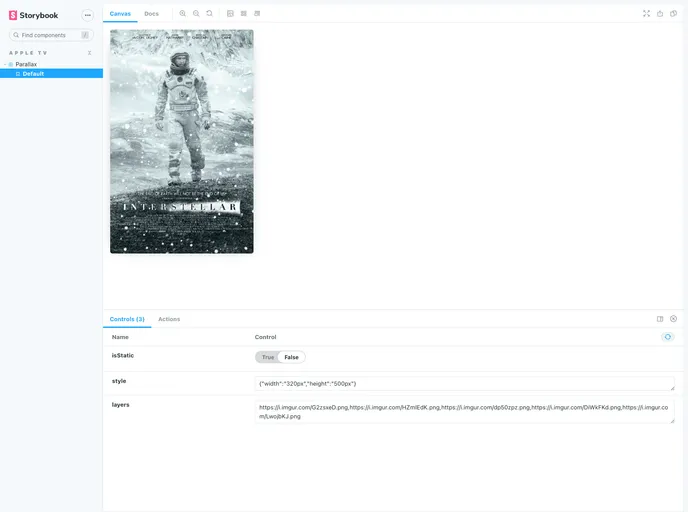



Apple TV parallax effect for react
Overview
The Apple TV Parallax is a npm package that allows you to create a parallax effect on images, similar to the Apple TV's home screen. This package provides an easy-to-use API to implement the parallax effect in your projects.
Features
- Layered Images: Stack multiple images on top of each other, with the topmost image appearing in the front.
- Static Mode: Disable the parallax effect and display a flattened image instead.
- Custom Styles: Apply custom CSS properties to the images.
- Custom Classes: Add custom class names to the parallax element.
Usage
To use the Apple TV Parallax, follow these steps:
- Import the package in your project:
import Parallax from '@dreamsparkx/parallax';
- Create a new instance of the Parallax class:
const parallax = new Parallax(options);
- Configure the parallax options:
layers(required): The list of images to be stacked on top of each other. The last element will be at the top.
const options = {
  layers: [
    'image1.jpg',
    'image2.jpg',
    'image3.jpg'
  ]
};
isStatic(optional): Set totrueto disable the parallax effect and display a flattened image instead.
const options = {
  layers: [
    'image1.jpg',
    'image2.jpg',
    'image3.jpg'
  ],
  isStatic: true
};
style(optional): Pass on CSS properties to customize the appearance of the parallax element.
const options = {
  layers: [
    'image1.jpg',
    'image2.jpg',
    'image3.jpg'
  ],
  style: {
    width: '100%',
    height: '100%',
    backgroundColor: 'black'
  }
};
className(optional): Pass on a custom class name to the parallax element.
const options = {
  layers: [
    'image1.jpg',
    'image2.jpg',
    'image3.jpg'
  ],
  className: 'custom-parallax'
};
- Start the parallax effect:
parallax.start();
Summary
The Apple TV Parallax npm package provides an easy way to add a parallax effect to your images. With its simple API and various customization options, you can create visually appealing and interactive designs similar to the Apple TV's home screen.
- React
React is a widely used JavaScript library for building user interfaces and single-page applications. It follows a component-based architecture and uses a virtual DOM to efficiently update and render UI components
- SCSS
SCSS is a preprocessor scripting language that extends the capabilities of CSS by adding features such as variables, nesting, and mixins. It allows developers to write more efficient and maintainable CSS code, and helps to streamline the development process by reducing repetition and increasing reusability.
- Styled Components
Styled Components is a popular library for styling React components using CSS syntax. It allows you to write CSS in your JavaScript code, making it easier to create dynamic styles that are specific to each component.
- Eslint

ESLint is a linter for JavaScript that analyzes code to detect and report on potential problems and errors, as well as enforce consistent code style and best practices, helping developers to write cleaner, more maintainable code.
- Rollup

RollupJS is a popular and efficient JavaScript module bundler that takes the code from multiple modules and packages them into a single optimized file, minimizing the overall size of the application and improving its performance.
- Typescript

TypeScript is a superset of JavaScript, providing optional static typing, classes, interfaces, and other features that help developers write more maintainable and scalable code. TypeScript's static typing system can catch errors at compile-time, making it easier to build and maintain large applications.