
Angular Notifications
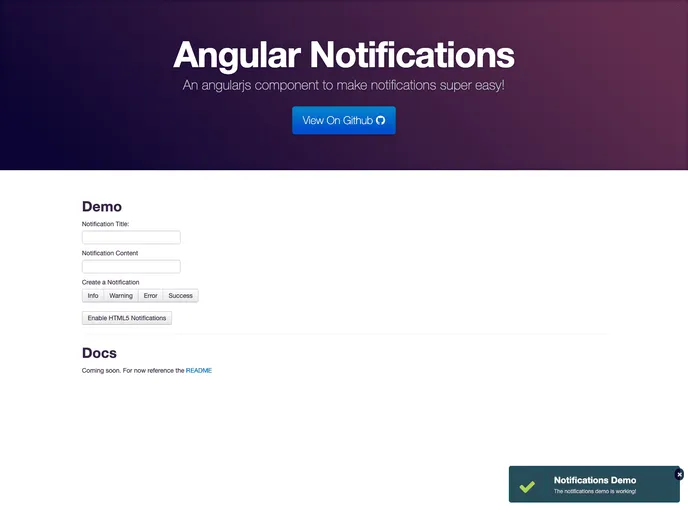
An AngularJS component for easily creating notifications. Can also use HTML5 notifications.
Overview
Angular-Notifications is a handy service designed to streamline the process of creating and displaying notifications in AngularJS applications. This early release, despite being in its infancy, offers a straightforward way to enhance user experience by providing notifications in various formats, including the option to use Chrome Notifications. While the project is labeled as not maintained, the potential for its use in your AngularJS projects cannot be overlooked, especially for those who need a reliable notification system integrated within their apps.
The component facilitates easy integration by allowing developers to include simple CSS and JavaScript files before declaring the notifications module as a dependency. With its intuitive API for invoking different types of notifications, it serves both as a great starting point for beginners and a useful tool for experienced developers looking to add customizable notifications to their applications.
Features
-
Easy Integration: Simply include the necessary CSS and JavaScript files and declare the notifications module in your AngularJS app to start using it instantly.
-
Notification Types: Offers multiple notification types including info, warning, error, and success, allowing you to convey different messages effectively.
-
Customizable Display: Notifications can be positioned anywhere on the screen by specifying their location in the HTML using the notifications directive.
-
HTML5 Compatibility: Supports HTML5 notifications, which can be enabled with the
$notification.enableHtml5Mode()method, with the requirement for user permissions. -
User Data Storage: Allows for an optional userData parameter to store additional data with each notification for better context.
-
Chrome Notifications Support: Provides the ability to use Chrome's native notifications, giving it a wider reach and enhanced functionality.
-
Animated Notifications: Future updates will include animations using ng-animate, improving the overall look and feel of notifications.
-
Font Awesome Integration: Requires Font Awesome 3.1.1 for displaying notification icons, making it visually appealing and modern.