
Portfolio
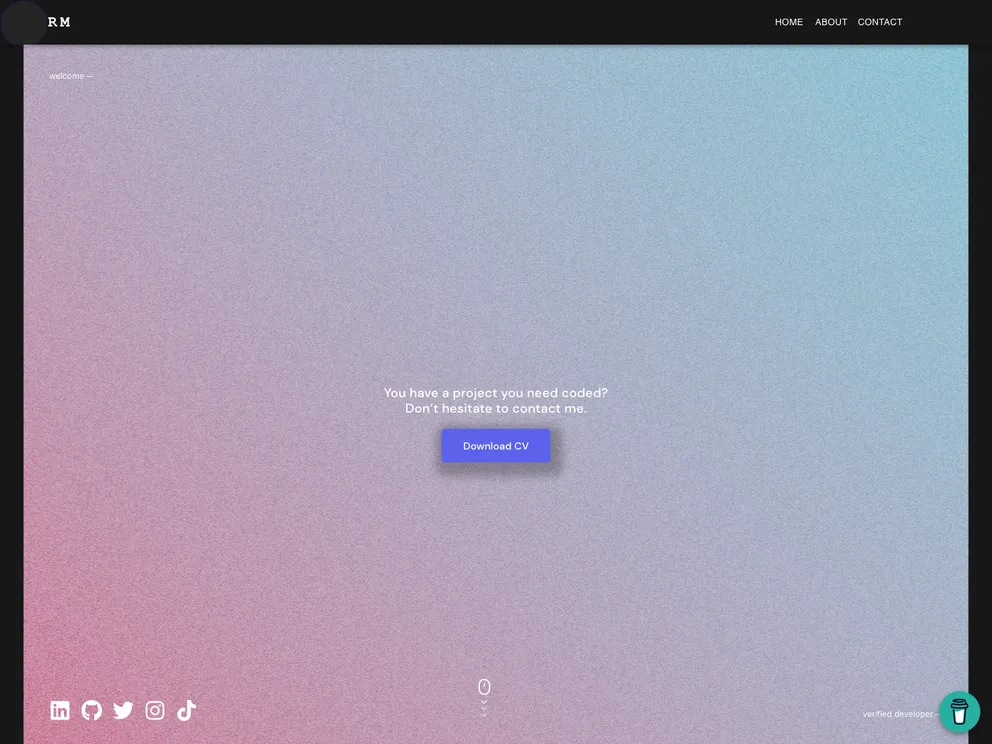


Personal portfolio website for my career as a software developer. Designed with JavaScript / ReactJS / Redux / React Three Fiber / Material-UI and utilized the GitHub API for back-end
Product Analysis: My Personal Portfolio
Overview
My Personal Portfolio is a web application built using JavaScript, React, Redux, React Three Fiber, and Material-UI. It allows users to create and showcase their personal portfolios. The application can be accessed online via the Netlify deployment.
Features
- Built with JavaScript, React, Redux, React Three Fiber, and Material-UI
- Provides a user-friendly interface for creating personal portfolios
- Allows users to showcase their skills, projects, and contact information
Prerequisites
- Some knowledge of npm, webpack, JavaScript (ES6), and React
- Node.js installed on your machine
- Web browser
- Code editor
Setup
- Clone the repository using the following command in the terminal:
git clone https://github.com/cwaku/portfolio.git
- Change the directory to the cloned repository:
cd portfolio
- Install the dependencies using npm:
npm install
- Run the application:
npm start
- Open http://localhost:3000 in your web browser to view the application.
Available Scripts
In the project directory, you can run the following scripts:
-
npm start: Runs the application in development mode. It can be accessed at http://localhost:3000. -
npm test: Launches the test runner in interactive watch mode. -
npm run build: Builds the application for production. The optimized build can be found in the build folder. -
npm run eject: Ejects the project from its current configuration. This is a one-way operation.
Summary
My Personal Portfolio is a JavaScript-based web application that allows users to create and showcase their personal portfolios. It provides an easy-to-use interface and is built with popular frameworks and libraries such as React and Redux. The installation process is straightforward, and the application can be accessed locally or online via Netlify deployment. It also provides additional scripts for testing and building the application for production. Overall, My Personal Portfolio is a versatile tool for individuals looking to create a professional online presence.
- React
React is a widely used JavaScript library for building user interfaces and single-page applications. It follows a component-based architecture and uses a virtual DOM to efficiently update and render UI components
- Styled Components
Styled Components is a popular library for styling React components using CSS syntax. It allows you to write CSS in your JavaScript code, making it easier to create dynamic styles that are specific to each component.
- Material UI
material-ui adds classes to Tailwind CSS for all common UI components. Classes like btn, card, etc. This allows us to focus on important things instead of making basic elements for every project.
- Portfolio

A portfolio website is a type of website that showcases an individual's or a company's work, skills, and accomplishments. It typically includes a gallery of images or videos, case studies, and client testimonials to provide potential clients or employers with a comprehensive overview of their experience and expertise.
- Eslint

ESLint is a linter for JavaScript that analyzes code to detect and report on potential problems and errors, as well as enforce consistent code style and best practices, helping developers to write cleaner, more maintainable code.
- Framer Motion

Alpine.js is a lightweight JavaScript framework that simplifies the process of creating dynamic, reactive user interfaces on the web. It uses a declarative syntax that offers a higher level of abstraction compared to vanilla JavaScript, while being more performant and easier to use than jQuery.
- Stylelint
Stylelint is a modern linter for CSS that helps you avoid errors and enforce consistent styling conventions. It provides rules for detecting errors and warnings, and can be configured to match your specific project's requirements.