
Dj4e Samples
Django For Everybody Sample Code
Overview
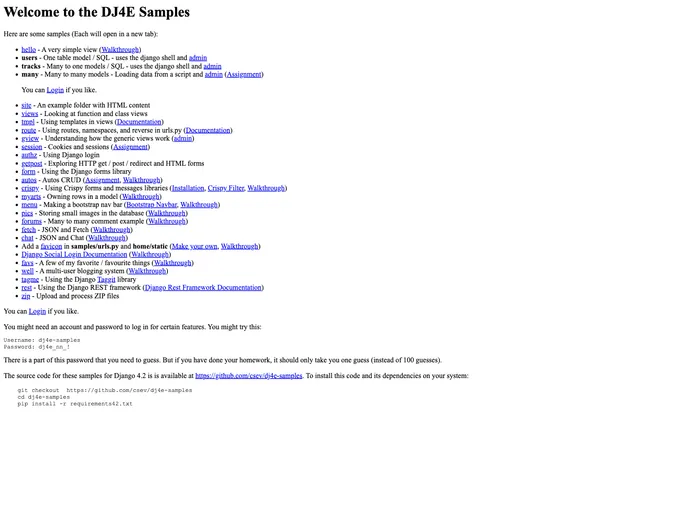
DJ4E Samples is a collection of Django projects that offer free sample code to support the DJ4E website. The samples can be seen in action at samples.dj4e.com. The projects provide a valuable resource for learning and experimenting with Django development.
Features
- Free Sample Code: Access to a variety of Django projects with sample code for learning purposes.
- Easy Setup: Instructions provided for setting up virtual environments on Mac and PythonAnywhere.
- Update Availability: Samples are periodically updated to provide the latest features and enhancements.
- Support and Contributions: Users are encouraged to submit bug reports or contribute to the project via Pull Requests on GitHub.
Setting up a Virtual Environment on Mac
- Install virtualenv on Mac using homebrew.
brew install virtualenv - Checkout the repository for DJ4E Samples.
Running Locally on Mac
- Navigate to the project folder.
- Start the server to test the sample applications.
python manage.py runserver - Visit http://localhost:8000 to view the sample applications.
Setting up a Virtual Environment on PythonAnywhere
- Follow the instructions for setting up a virtual environment in the Linux shell on PythonAnywhere.
- Activate the environment.
source myenv/bin/activate - Clone the repository into a folder.
Running on PythonAnywhere
- After checking out the code and running migrations and load scripts, update the config files in the Web tab.
- Use the provided WGSI configuration file for your new application.
- Make necessary file or configuration changes in the Web tab and remember to reload after each change.
Summary
DJ4E Samples is a valuable resource for Django developers, offering a collection of sample projects with free code to support learning and experimentation. The easy setup instructions provided for both Mac and PythonAnywhere make it convenient for users to get started with the projects. Additionally, the availability of updates and the option for user contributions enhance the collaborative aspect of the project.