Spotify Premium Gratis
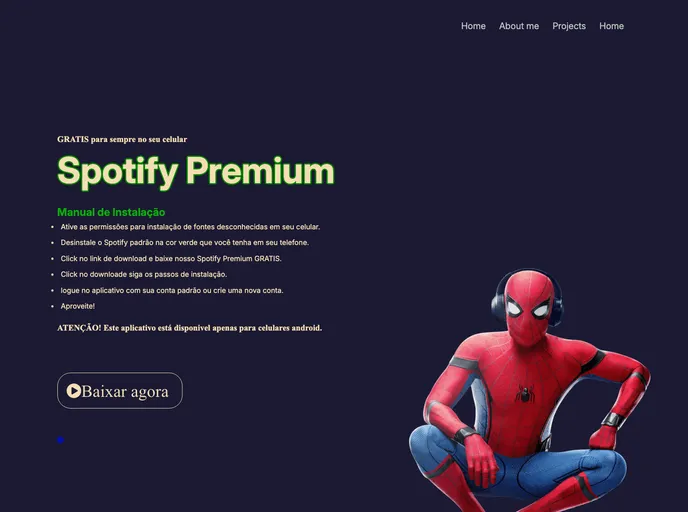
Pagina estática de download de arquivo.
Overview:
The project is a logo design created for a website or brand. It is designed using HTML5, CSS3, and Adobe Photoshop CS6.
Features:
- HTML5: The logo design is created using HTML5 markup language, allowing for structure and organization of the design elements.
- CSS3: CSS3 is used to style the logo design, adding visual effects, colors, and animations to enhance the overall look and feel.
- Adobe Photoshop CS6: The logo design is created and edited using Adobe Photoshop CS6, a professional graphic design software, providing advanced tools and features for creating stunning visuals.
HTML5 and CSS3:
- Open a text editor or an HTML editor of your choice.
- Create a new HTML file.
- Add the HTML5 doctype declaration at the beginning of the file:
<!DOCTYPE html> - Define the HTML structure using appropriate tags (e.g.,
<header>,<div>,<span>, etc.). - Add the CSS styling by either using inline styles, internal stylesheets, or linking an external CSS file.
- Copy and paste the relevant HTML and CSS code for the logo design.
- Customize the design according to your needs.
Adobe Photoshop CS6:
- Ensure that Adobe Photoshop CS6 is installed on your computer.
- Open Adobe Photoshop CS6.
- Create a new document with the desired dimensions for the logo design.
- Use the various tools and features of Adobe Photoshop CS6 to create and edit the logo design.
- Save the logo design in a suitable file format (e.g., PNG, JPEG, etc.).
- The logo design can now be used for various purposes such as website branding, print materials, etc.
Summary:
The project is a logo design created using HTML5, CSS3, and Adobe Photoshop CS6. It showcases the use of HTML5 and CSS3 for designing the logo's structure and style, along with the advanced features of Adobe Photoshop CS6 for creating and editing the logo design. This logo design can be customized and used for various branding purposes by following the installation steps provided.