OmnifoodClone
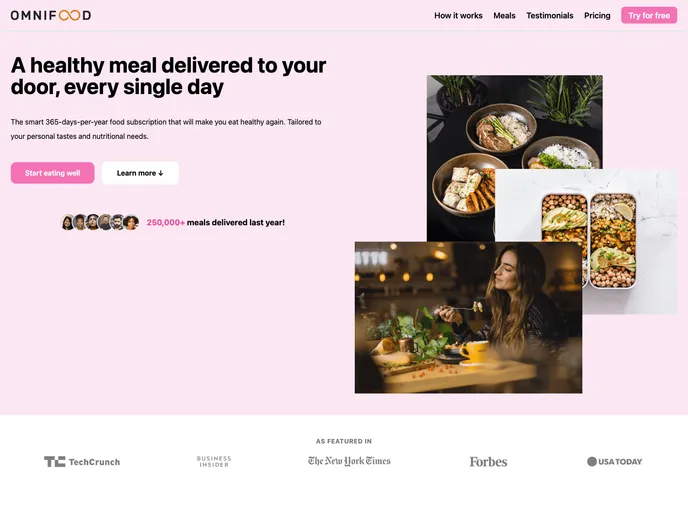
This website is made by cloning 'omnifood' using tailwind css
Overview
The Omnifood clone is a full migration of the original Omnifood website from CSS to TAILWIND CSS. The TAILWIND CSS framework provides a modern and efficient way to build responsive and user-friendly websites. This clone retains all the features and functionality of the original website while utilizing the benefits of TAILWIND CSS.
Features
- Sticky navigation: The website has a sticky navigation bar that remains at the top of the screen, making it easier for users to navigate through different sections of the website.
- Hamburger menu: A responsive hamburger menu is implemented for mobile devices, providing ease of navigation on small screens.
- Animations: The clone incorporates animations to enhance the user experience and make the website more engaging.
- Cross-platform: The website is compatible with various platforms, ensuring a consistent and seamless experience for users on desktop, mobile, and tablet devices.
- Smooth scrolling: Smooth scrolling is implemented throughout the website, adding a subtle touch of interactivity and improving overall user experience.
- Hero section: The clone features a visually appealing hero section that captures the attention of visitors and creates a strong first impression.
- App screenshot: An app screenshot is included, giving users a glimpse of the Omnifood app and enticing them to explore further.
Summary
The Omnifood clone is a migration of the original website to TAILWIND CSS, bringing a modern and efficient framework to the forefront. With its key features such as sticky navigation, hamburger menu, animations, cross-platform compatibility, smooth scrolling, hero section, and app screenshot, this clone provides a seamless and engaging experience for users. Installing the clone is straightforward and can be done by following a few simple steps.