Twenty Four Hour Timer
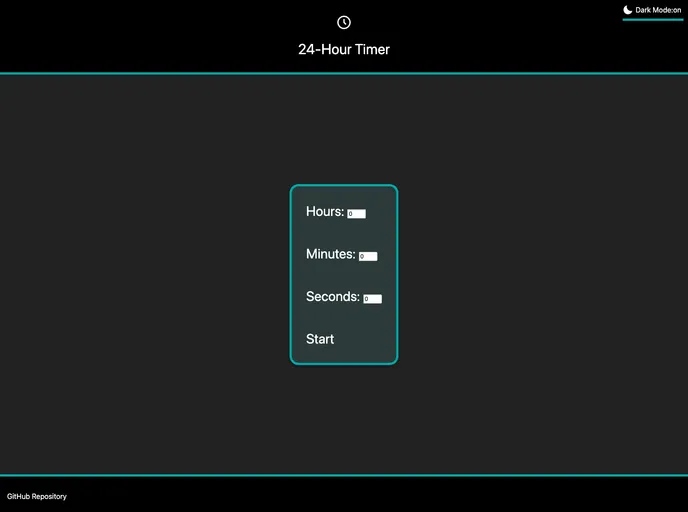
Add a time in hours/minutes/seconds and launch a countdown timer.
Overview:
The 24 Hour Timer is a web-based countdown timer that allows users to input a time in hours, minutes, and seconds and launch a countdown. It provides an easy and convenient way to track time and set reminders. The timer displays error messages if values entered are outside the valid range and provides a custom error message for input of zero. Once the time has elapsed, an alarm starts to play and a "Time's up!" message is displayed. The timer is also responsive and can be easily closed by clicking the 'Close' button or the modal background.
Features:
- Countdown Timer: Users can input a time in hours, minutes, and seconds and start a countdown timer.
- Error Messages: Browser error messages appear if the entered values are outside the valid range, i.e. hours: 0-23, minutes: 0-59, seconds: 0-59.
- Custom Error Message: A custom error message is displayed if the input is zero.
- Alarm: Once the time has elapsed, an audio alarm starts to play.
- Close Button: The timer can be easily closed by clicking the 'Close' button.
- Modal Background Close: Users can also close the timer by clicking the modal background.
- Responsive Design: The timer is designed to be responsive and adapt to different screen sizes.
- HTML Template: The timer uses an HTML template for its design.
- Javascript ES6: The timer is built using ES6, without transpilation to ES5.
- CSS Grid: CSS grid is used for page layout.
- Flexbox: Flexbox is used for page elements.
- Browser Compatibility: The timer has been tested on Windows 10 with Chrome, Firefox, and Microsoft Edge browsers.
Summary:
The 24 Hour Timer is a user-friendly and versatile web-based countdown timer that allows users to set a specific time and track its progress. It provides error messages for input validation, an alarm once the time elapses, and easy ways to close the timer. With its responsive design and compatibility with major browsers, the timer offers a seamless experience for users. Installing the timer is simple, requiring only a few steps to get started.