
Scalajs React Components
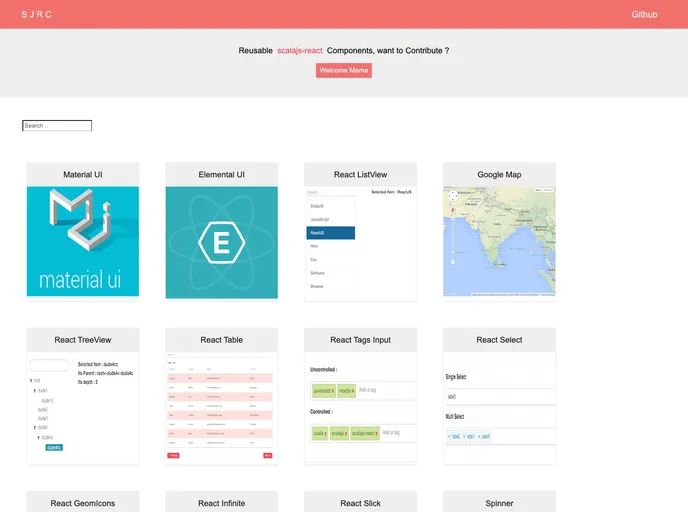
Reusable scalajs-react components
Overview
The scalajs-react-components library offers a suite of reusable components designed to enhance the experience of integrating JavaScript components into Scala.js applications. By providing typed wrappers, this library aims to bridge the gap between JavaScript's dynamic nature and Scala's type safety, making it easier for developers to work with popular UI frameworks and libraries. The focus on creating a well-typed interface is intended to reduce the guesswork often associated with using JavaScript in a Scala environment.
With the support for various popular libraries such as Material-UI, Semantic UI, and Google Maps, scalajs-react-components allows developers to seamlessly incorporate powerful UI elements into their Scala.js applications. The inclusion of an example project further aids users in understanding how to effectively implement these components.
Features
-
Typed Wrappers: Simplifies the integration of JavaScript components by providing strong typing, reducing runtime errors and enhancing developer experience.
-
Broad Compatibility: Supports a variety of JavaScript libraries including Material-UI, Semantic UI, and Google Maps, allowing for extensive UI options.
-
Example Project Included: Comes with a sample project to help users quickly understand how to implement and use the components, saving time during development.
-
Community Contributions: Actively encourages bug reports and pull requests from developers to improve and expand the library, fostering a collaborative environment.
-
Additional Components: Offers Scala.js specific components like ReactTable and ReactTreeView which are tailored for Scala.js, making development more streamlined.
-
Simplified Setup: Easy integration into Scala.js projects with straightforward dependency management via SBT, enhancing accessibility for developers.
-
CSS Loading Requirement: Users need to load corresponding CSS for component styling, ensuring that the components visually align with expectations.