Jekyll Theme Marketing
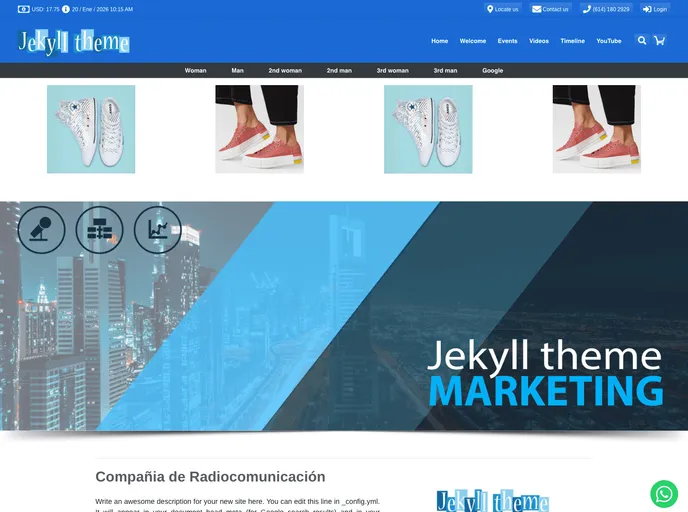
A Jekyll theme :gem: managed with Yarn
Overview
This document provides a product analysis of the Jekyll theme called "jekyll-theme-marketing." This theme is managed with Yarn and can be installed on Jekyll sites using GitHub Pages. It offers a visually appealing design and several customizable features for marketing websites.
Features
- Gem Version: The theme has a specific version assigned to it.
- CI Status: The continuous integration status of the theme, indicating its build and test process.
- Dependabot Status: The status of the Dependabot tool, which automatically checks and updates the theme's dependencies.
- Gem Downloads: The number of downloads for the theme's gem, indicating its popularity.
Installation on Jekyll sites using GitHub Pages
- Add the following line to your Gemfile:
[theme name] - Run
bundle installto install the plugin. - Add the following three lines to your site's
_config.ymlfile:
theme: jekyll-theme-marketing
plugins:
  - jekyll-remote-theme
- Save the changes and proceed with the next steps.
Installation on all Jekyll sites
- Add the following line to your Jekyll site's Gemfile:
[theme name] - Add the following line to your Jekyll site's
_config.ymlfile:
theme: jekyll-theme-marketing
- Save the changes and proceed with the next steps.
Summary
The "jekyll-theme-marketing" is a visually appealing Jekyll theme designed for marketing websites. It offers a range of features, including a specific gem version, continuous integration and Dependabot statuses, and gem download metrics. The installation process is straightforward and can be customized based on the specific setup of a Jekyll site. This theme is available as open source under the MIT License and is actively maintained by Edgar Tinajero.